Express JS Course
Middleware in Express JS plays a crucial role in handling requests and responses before they reach the route handlers. It allows you to perform tasks such as parsing incoming request data, authenticating users, logging requests, handling errors, and more. Middleware functions are essentially functions that have access to the request object (req), the response object (res), and the next function in the application's request-response cycle.
Logging Middleware
This middleware logs the HTTP method and URL of each incoming request.
import express from "express"

const app = express();

const PORT = process.env.PORT || 5000;

app.get('/', (req, res) => res.send({ msg: "Welcome To Praveen Oruganti!" }));

const mockUsers = [
    { id: 1, name: 'Praveen', designation: 'Technical Architect', city: 'Hyderabad' },
    { id: 2, name: 'Prasad', designation: 'Technical Lead', city: 'Bangalore' },
    { id: 3, name: 'Anusha', designation: 'Lead Developer', city: 'Chennai' },
    { id: 4, name: 'Ravi', designation: 'Developer', city: 'Hyderabad' },
    { id: 5, name: 'Kiran', designation: 'Technical Lead', city: 'Hyderabad' },
];


// Middleware to parse JSON bodies
app.use(express.json());

// Middleware to log requests
app.use((req, res, next) => {
    console.log(`${new Date().toISOString()} - ${req.method} ${req.url}`);
    next();
});


// Route to get all users
app.get('/api/v1_0/users', (req, res) => {
    let filteredUsers = mockUsers;

    const { name, designation, city } = req.query;

    if (name) {
        filteredUsers = filteredUsers.filter(user => user.name.toLowerCase().includes(name.toLowerCase()));
    }

    if (designation) {
        filteredUsers = filteredUsers.filter(user => user.designation.toLowerCase().includes(designation.toLowerCase()));
    }

    if (city) {
        filteredUsers = filteredUsers.filter(user => user.city.toLowerCase().includes(city.toLowerCase()));
    }

    res.send({ users: filteredUsers });
});

app.listen(PORT, () => console.log(`Running on Port ${PORT}`));
Lets invoke GET http://localhost:5000/api/v1_0/users
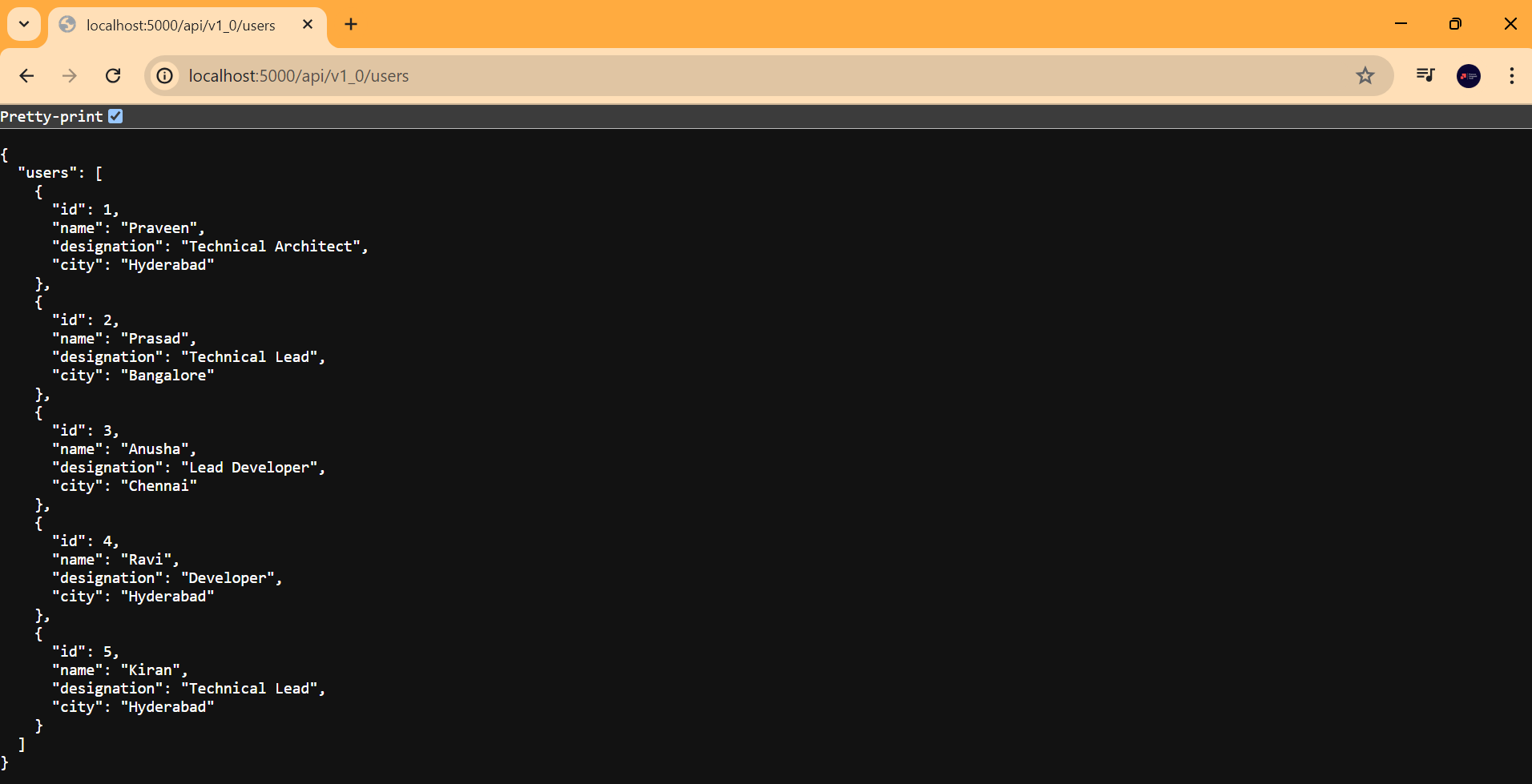
Lets see the console whether the incoming request's method and URL is logged

Middleware Authentication
This middleware checks if a request has a valid API key before proceeding.
Lets implement the authentication for get all users route.
import express from "express"

const app = express();

const PORT = process.env.PORT || 5000;

app.get('/', (req, res) => res.send({ msg: "Welcome To Praveen Oruganti!" }));

const mockUsers = [
    { id: 1, name: 'Praveen', designation: 'Technical Architect', city: 'Hyderabad' },
    { id: 2, name: 'Prasad', designation: 'Technical Lead', city: 'Bangalore' },
    { id: 3, name: 'Anusha', designation: 'Lead Developer', city: 'Chennai' },
    { id: 4, name: 'Ravi', designation: 'Developer', city: 'Hyderabad' },
    { id: 5, name: 'Kiran', designation: 'Technical Lead', city: 'Hyderabad' },
];

// Middleware for authentication
const authenticate = (req, res, next) => {
    const apiKey = req.headers['x-api-key'];
    if (apiKey && apiKey === '2a5699ae-6e99-4cac-ae55-bb769d9e6090') {
        next();
    } else {
        res.status(401).send('Unauthorized');
    }
};

// Middleware to parse JSON bodies
app.use(express.json());

// Middleware to log requests
app.use((req, res, next) => {
    console.log(`${new Date().toISOString()} - ${req.method} ${req.url}`);
    next();
});


// Route to get all users
app.get('/api/v1_0/users', authenticate, (req, res) => {
    let filteredUsers = mockUsers;

    const { name, designation, city } = req.query;

    if (name) {
        filteredUsers = filteredUsers.filter(user => user.name.toLowerCase().includes(name.toLowerCase()));
    }

    if (designation) {
        filteredUsers = filteredUsers.filter(user => user.designation.toLowerCase().includes(designation.toLowerCase()));
    }

    if (city) {
        filteredUsers = filteredUsers.filter(user => user.city.toLowerCase().includes(city.toLowerCase()));
    }

    res.send({ users: filteredUsers });
});


app.listen(PORT, () => console.log(`Running on Port ${PORT}`));
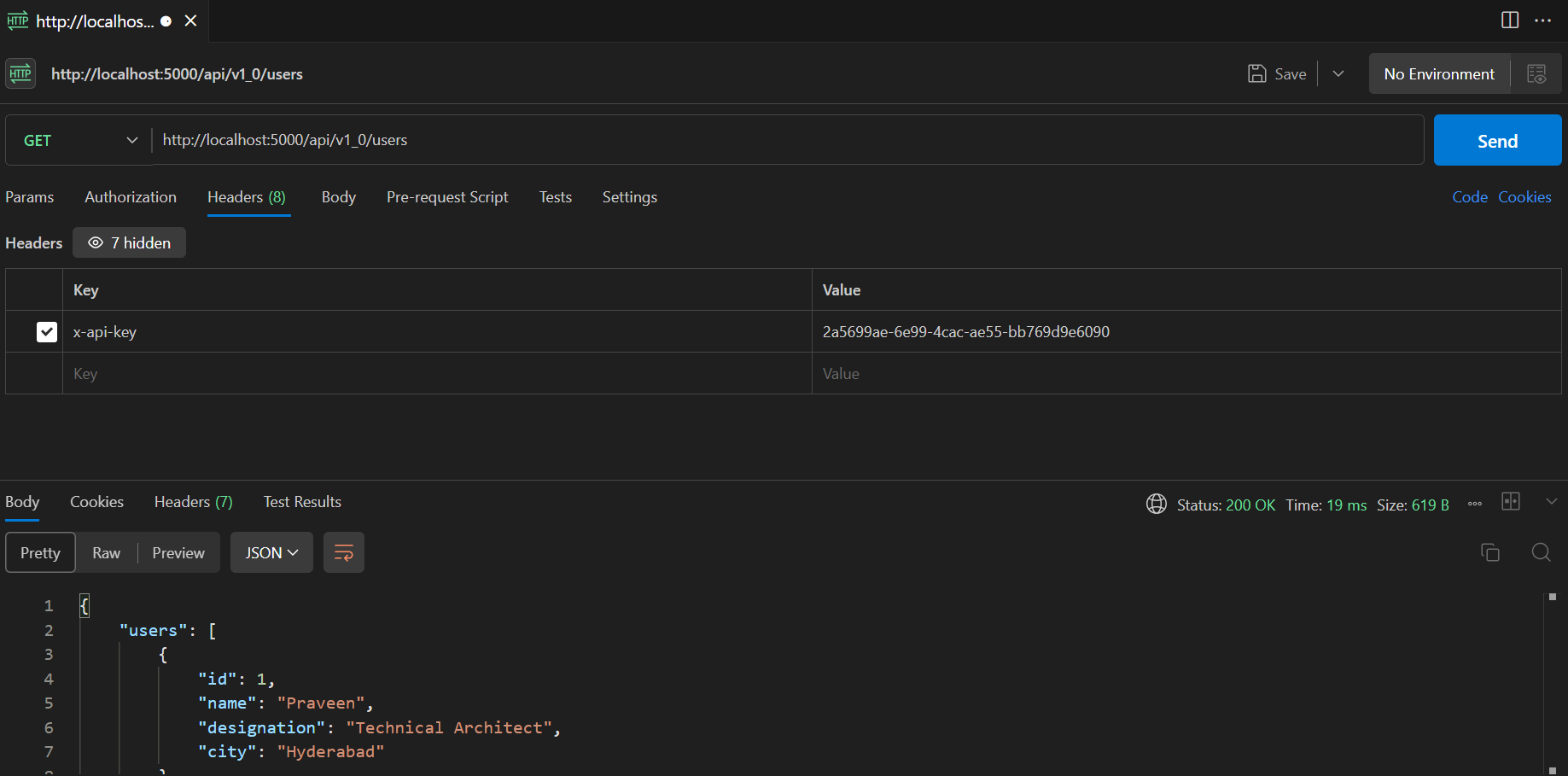
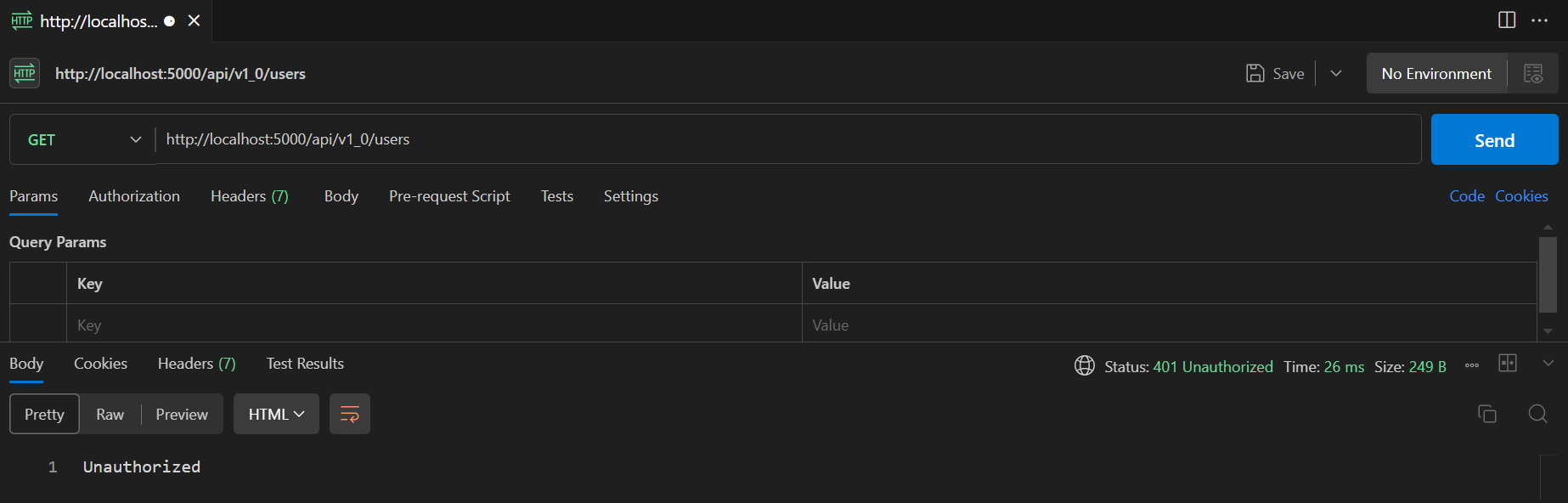
Lets invoke GET http://localhost:5000/api/v1_0/users without API Key.
Lets invoke GET http://localhost:5000/api/v1_0/users with API Key.