Back to Express JS Course
Express JS Course
To handle POST requests in Express JS, you typically use the app.post() method. POST requests are commonly used to send data to the server to create a new resource. To handle the data sent in a POST request, you need to parse the request body, which can be done using middleware like express.json().
Lets see an example where we will create user.
import express from "express"

const app = express();

const PORT = process.env.PORT || 5000;


const mockUsers = [
    { id: 1, name: 'Praveen', designation: 'Technical Architect', city: 'Hyderabad' },
    { id: 2, name: 'Prasad', designation: 'Technical Lead', city: 'Bangalore' },
    { id: 3, name: 'Anusha', designation: 'Lead Developer', city: 'Chennai' },
    { id: 4, name: 'Ravi', designation: 'Developer', city: 'Hyderabad' },
    { id: 5, name: 'Kiran', designation: 'Technical Lead', city: 'Hyderabad' },
];

// Middleware to parse JSON bodies
app.use(express.json());

// Route to add a new user
app.post('/api/v1_0/users', (req, res) => {
    const newUser = req.body;

    // Validate the incoming data
    if (!newUser.name || !newUser.designation || !newUser.city) {
        return res.status(400).send({ msg: 'Bad Request. Missing required fields' });
    }

    // Assign a new ID to the new user
    newUser.id = mockUsers.length ? mockUsers[mockUsers.length - 1].id + 1 : 1;

    // Add the new user to the mockUsers array
    mockUsers.push(newUser);

    // Respond with the newly created user
    res.status(201).send({ user: newUser });
});

app.listen(PORT, () => console.log(`Running on Port ${PORT}`));
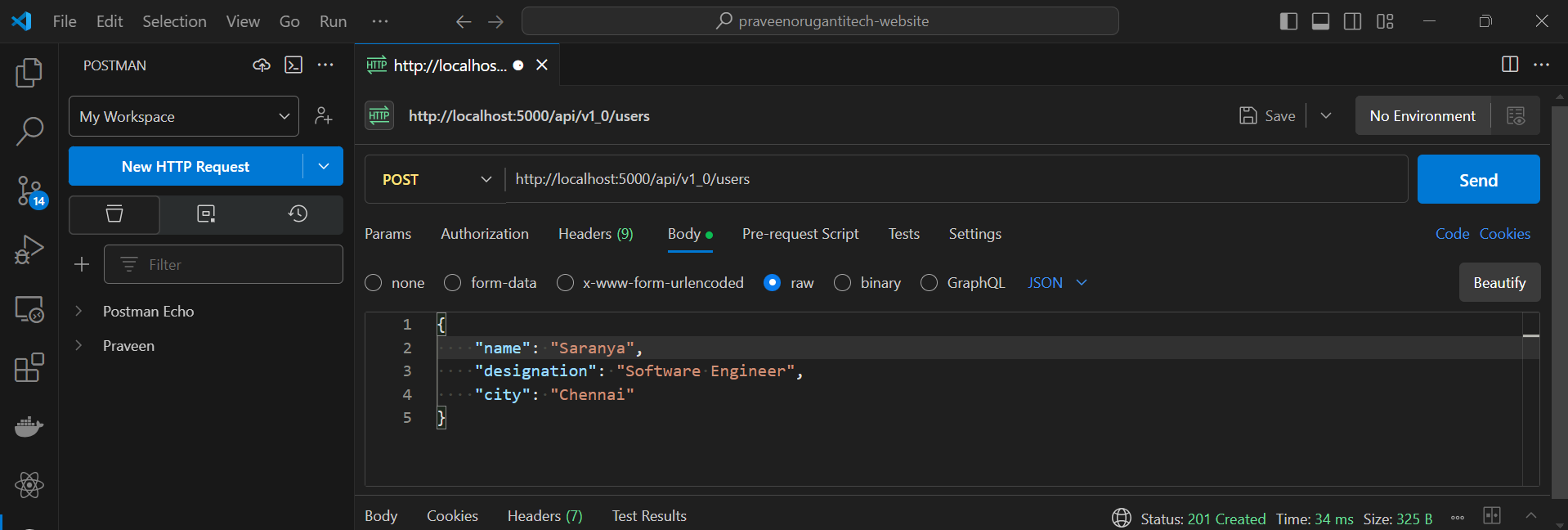
Now lets create an user using Postman.
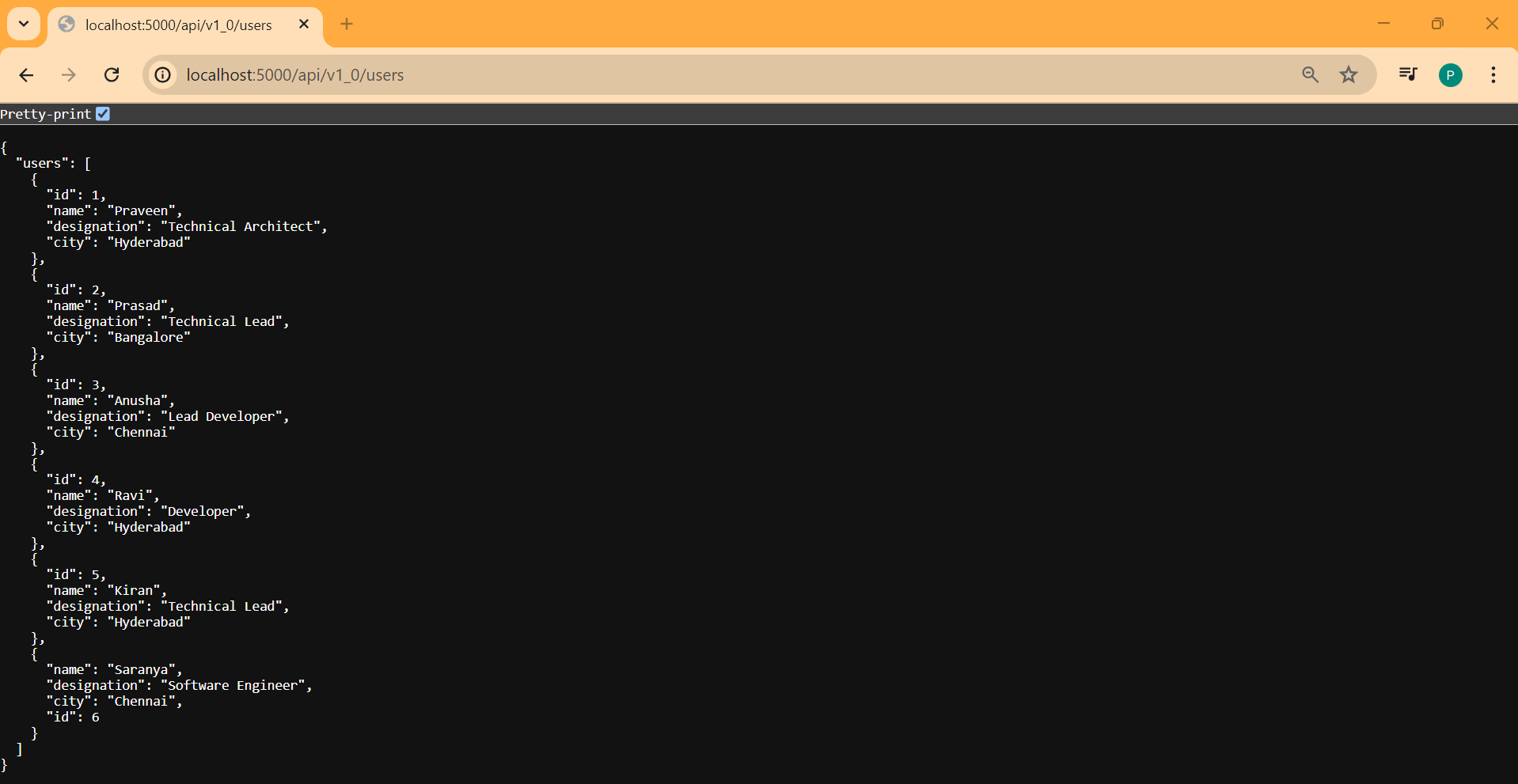
Now lets fetch the users.