Back to Express JS Course
Express JS Course
To handle PUT requests in Express JS, which are typically used to update an existing resource, you can follow a similar pattern to handling POST requests. Here's how you can set up a PUT request to update user data in your existing Express application.
import express from "express"

const app = express();

const PORT = process.env.PORT || 5000;

const mockUsers = [
    { id: 1, name: 'Praveen', designation: 'Technical Architect', city: 'Hyderabad' },
    { id: 2, name: 'Prasad', designation: 'Technical Lead', city: 'Bangalore' },
    { id: 3, name: 'Anusha', designation: 'Lead Developer', city: 'Chennai' },
    { id: 4, name: 'Ravi', designation: 'Developer', city: 'Hyderabad' },
    { id: 5, name: 'Kiran', designation: 'Technical Lead', city: 'Hyderabad' },
];

// Middleware to parse JSON bodies
app.use(express.json());

// Route to update an existing user
app.put('/api/v1_0/users/:id', (req, res) => {
    const parsedId = parseInt(req.params.id, 10);
    if (isNaN(parsedId)) {
        return res.status(400).send({ msg: 'Bad Request. Invalid ID' });
    }

    const findUser = mockUsers.find((user) => user.id === parsedId);
    if (!findUser) {
        return res.status(404).send({ msg: 'ID Not Found' });
    }

    const { name, designation, city } = req.body;
    if (!name || !designation || !city) {
        return res.status(400).send({ msg: 'Bad Request. Missing required fields' });
    }

    // Update user data
    findUser.name = name;
    findUser.designation = designation;
    findUser.city = city;

    res.send({ user: findUser });
});

app.listen(PORT, () => console.log(`Running on Port ${PORT}`));
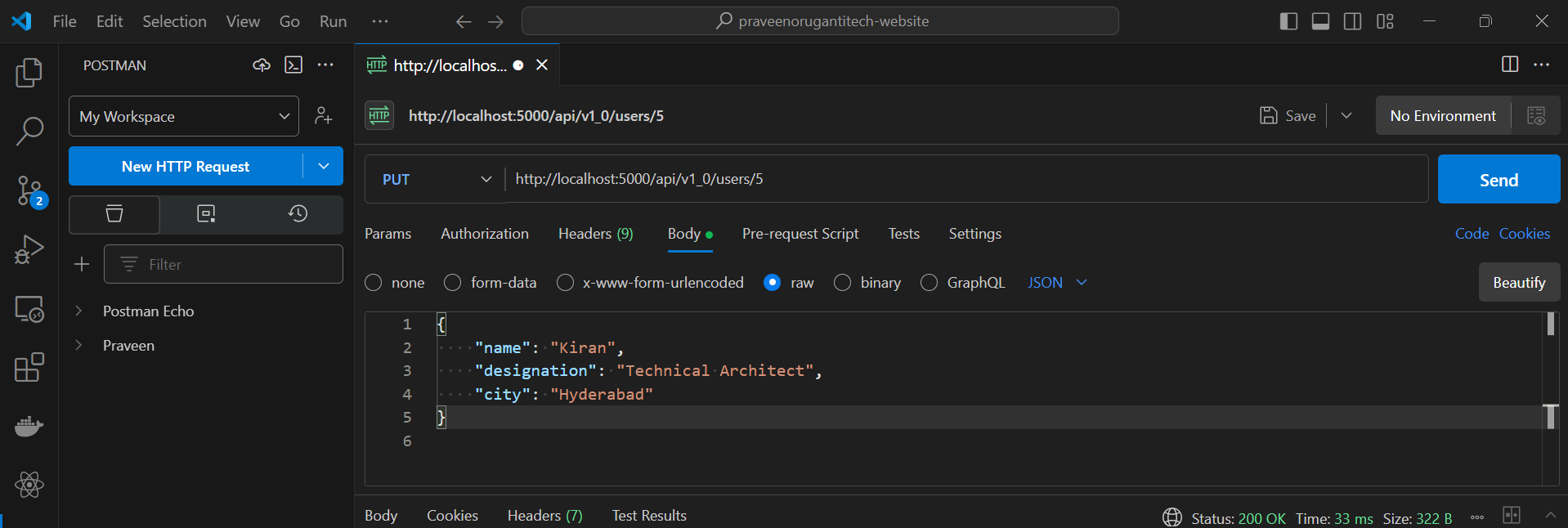
Now lets update an user using Postman.
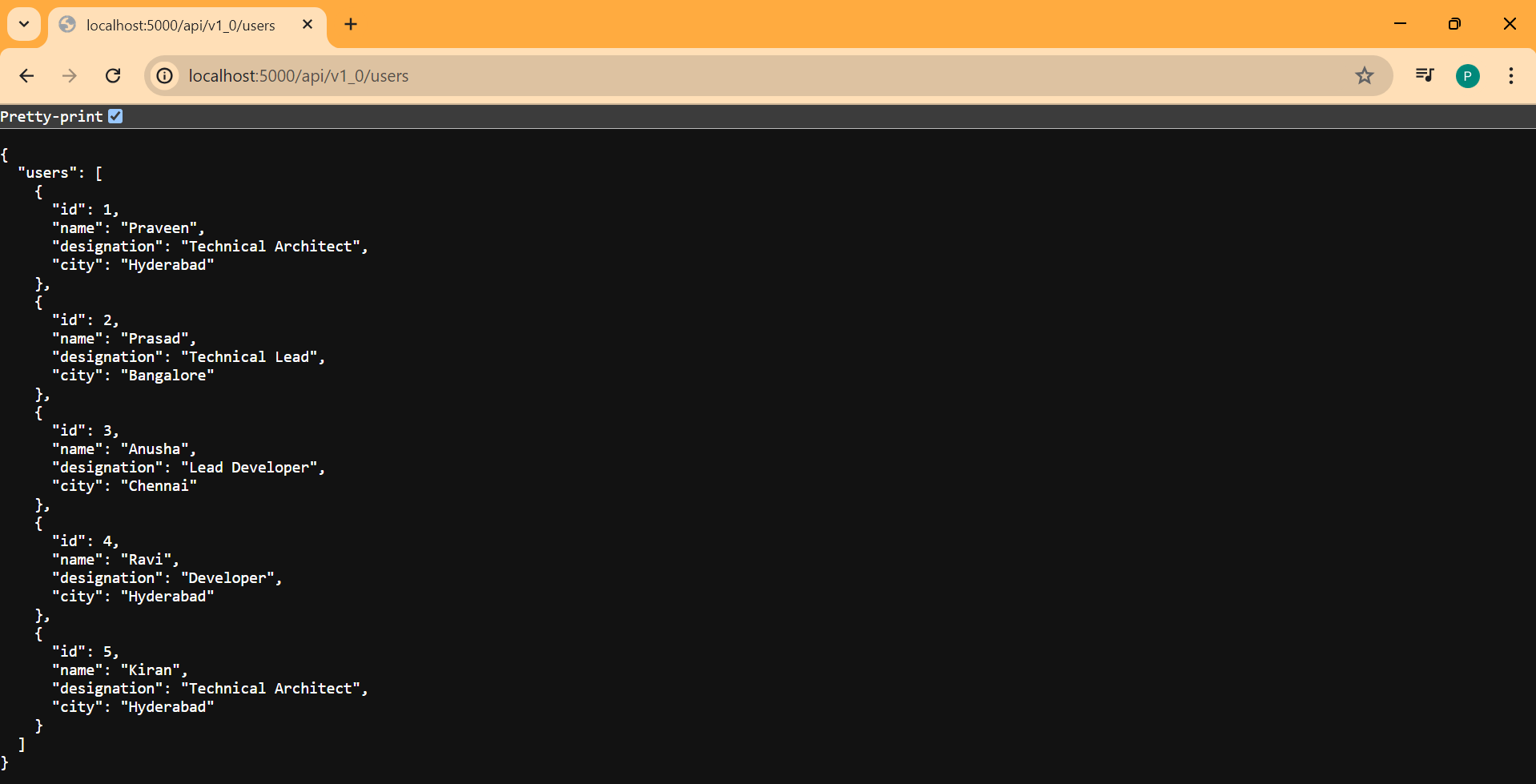
Now lets fetch the users.