Kubernetes Course
Cluster Architecture Overview
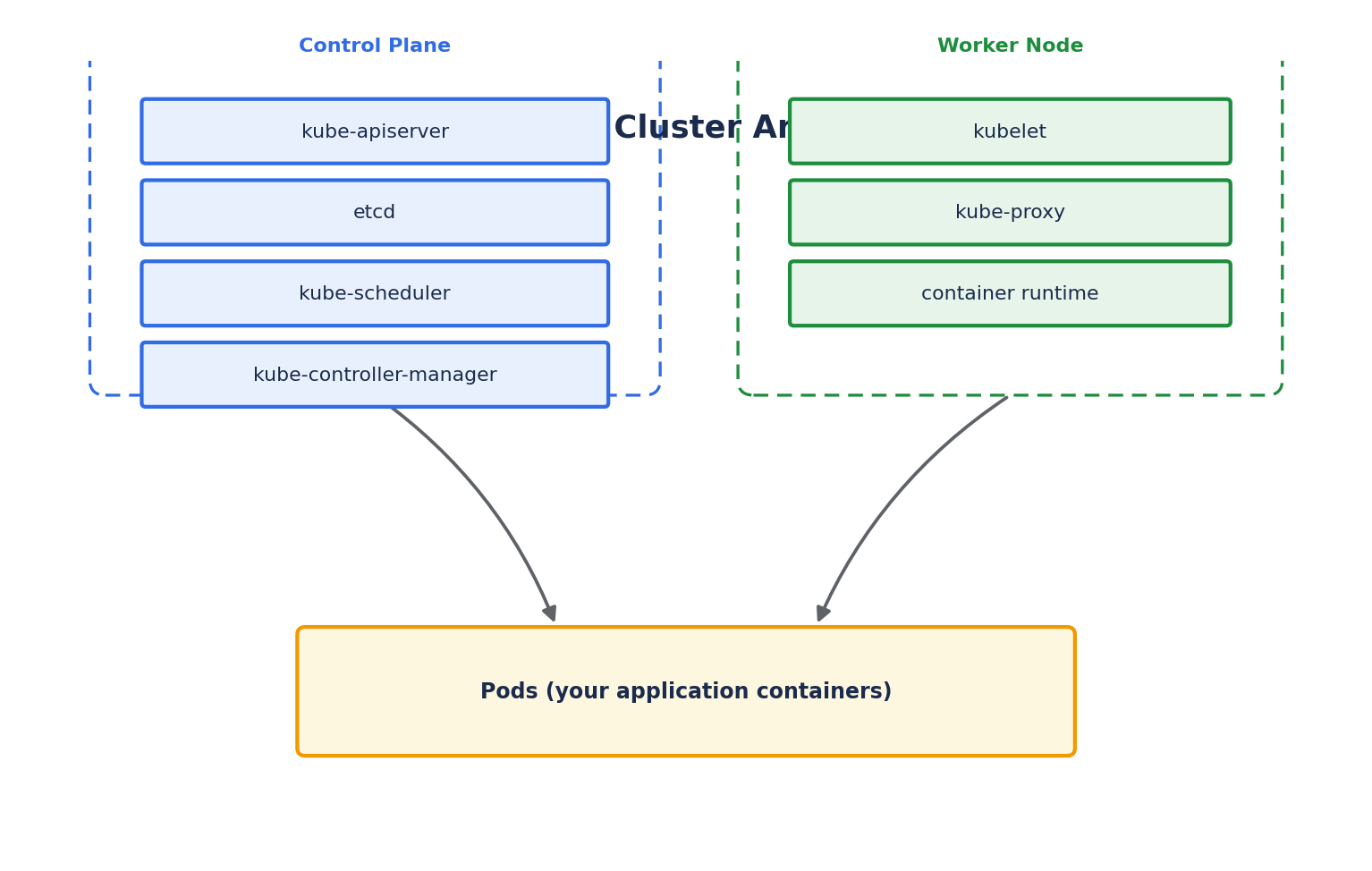
A Kubernetes cluster has two categories of machines (nodes): the Control Plane (the "brain," making global decisions about the cluster) and Worker Nodes (which actually run your application containers). In a production cluster, the control plane usually runs on 3+ dedicated nodes for high availability; in Minikube, both roles run on a single node.
Control Plane Components
- kube-apiserver: The front door to the cluster. Every interaction —
kubectlcommands, internal component communication, CI/CD pipelines — goes through the API server as a REST call. It validates requests and persists the resulting state toetcd. It is the only component that talks directly toetcd. - etcd: A distributed, consistent key-value store that holds the entire state of the cluster — every object, its spec, and its current status. If
etcdis lost without a backup, the cluster's state is lost. Regularetcdbackups are a critical production practice. - kube-scheduler: Watches for newly created Pods that have no node assigned, and selects a suitable node for each one based on resource requirements, affinity/anti-affinity rules, taints and tolerations, and other constraints.
- kube-controller-manager: Runs the controllers — background control loops that watch the cluster's actual state and reconcile it with the desired state. Examples: the Node Controller (notices when nodes go down), the Replication Controller (ensures the right number of pod replicas exist), and the Endpoints Controller (populates Service endpoints).
- cloud-controller-manager: Present only when running on a cloud provider. It links the cluster to cloud-specific APIs — provisioning load balancers, attaching cloud storage volumes, and labeling nodes with cloud metadata — keeping cloud-specific logic separate from the core Kubernetes code.
Worker Node Components
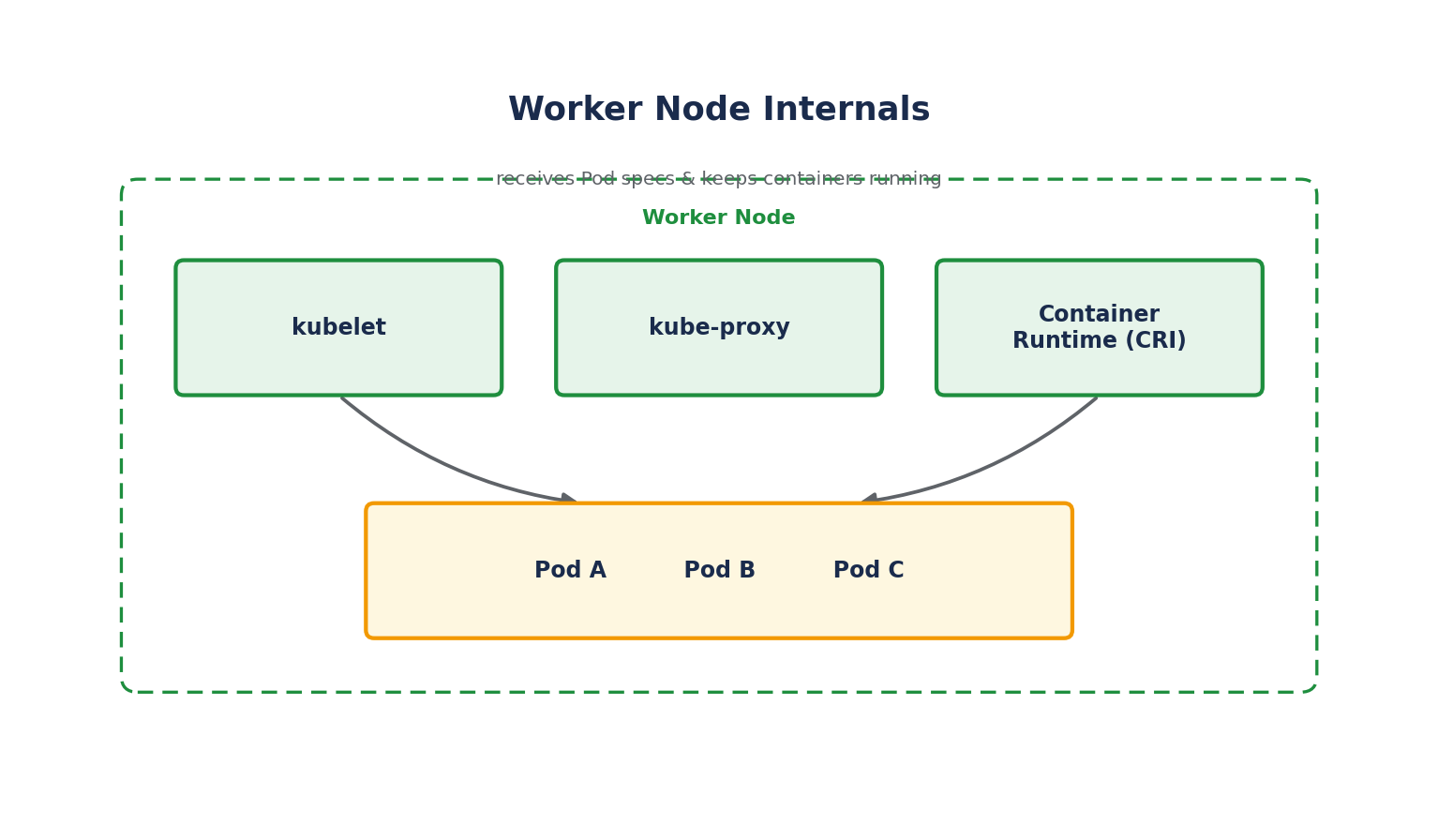
- kubelet: An agent running on every node. It receives Pod specifications (primarily from the API server) and ensures the containers described in those specs are running and healthy. It does not manage containers that Kubernetes didn't create.
- kube-proxy: Maintains network rules on each node, enabling network communication to Pods from inside and outside the cluster. It implements the Service abstraction by routing traffic to the correct backend Pods, typically using Linux
iptablesorIPVSrules. - Container Runtime: The software actually responsible for running containers — pulling images, starting/stopping containers, and reporting status back to the kubelet. Kubernetes communicates with it via the Container Runtime Interface (CRI). The most common runtimes today are containerd and CRI-O.
How a kubectl apply Request Flows Through the Cluster
Understanding this flow demystifies almost everything else in Kubernetes:
- You run
kubectl apply -f deployment.yaml.kubectlsends the manifest as a REST request to the kube-apiserver. - The API server authenticates and authorizes the request, validates the object against the schema, and writes the desired state to etcd.
- The kube-controller-manager's Deployment controller notices (via a watch on the API server) that a new Deployment exists, and creates the corresponding ReplicaSet and Pod objects — again, written to
etcdvia the API server. - The kube-scheduler notices Pods with no assigned node and picks the best node for each, updating the Pod object with the chosen node.
- The kubelet on that node notices (via its own watch on the API server) that it's been assigned a new Pod, and instructs the container runtime to pull the image and start the container.
- The kubelet continuously reports the Pod's status back to the API server, so
kubectl get podsreflects reality.
Every component in this flow communicates only through the API server — no component talks directly to another. This is what makes Kubernetes's architecture consistent and extensible.
Namespaces vs. Nodes — A Common Point of Confusion
- A Node is a physical or virtual machine — actual compute capacity in the cluster.
- A Namespace is a logical partition within a cluster used to organize resources (e.g., separating
dev,staging, andproductionworkloads) — it has nothing to do with which physical machine something runs on.
We'll cover Namespaces in depth later in this course.
High Availability of the Control Plane
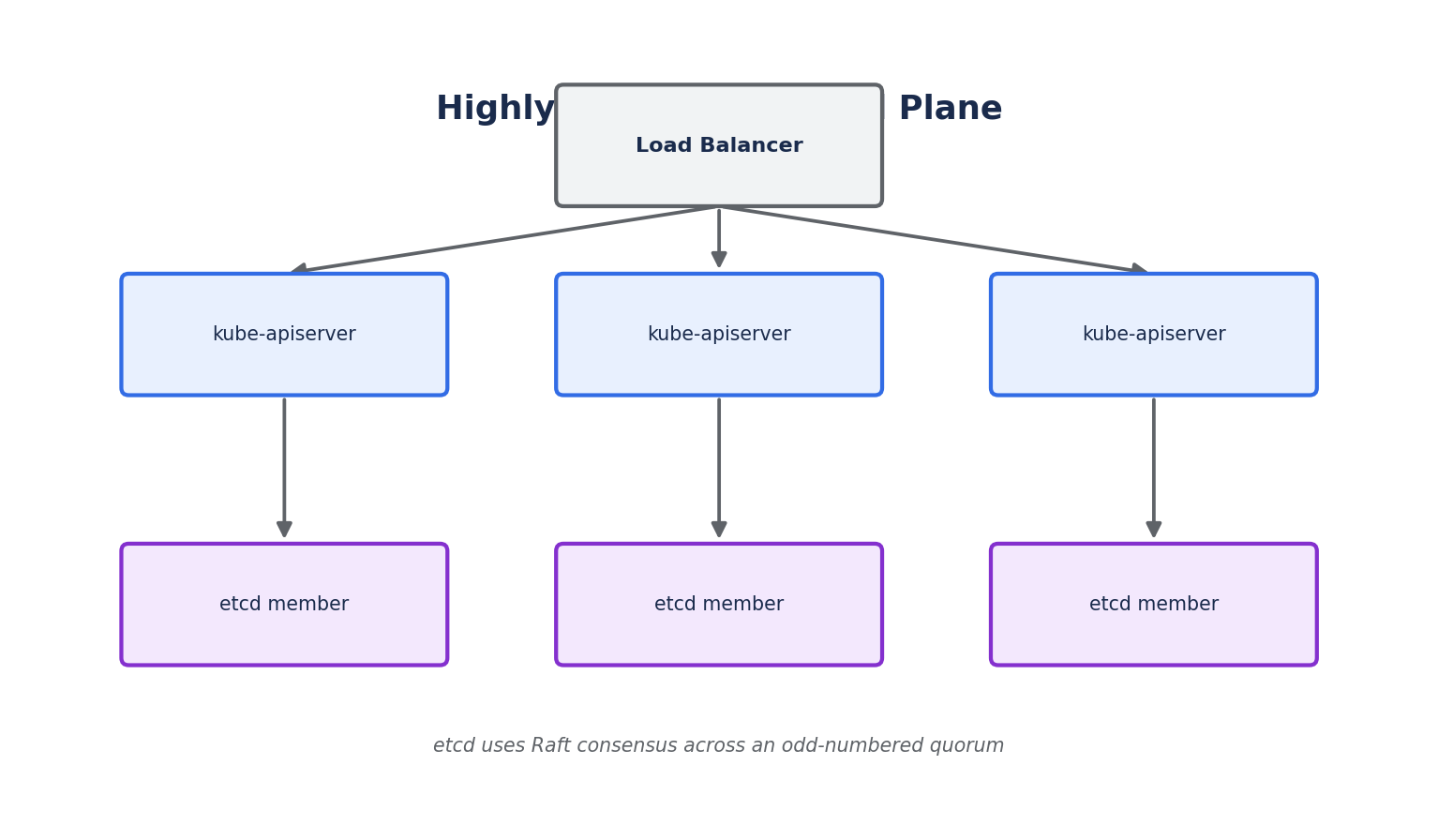
In production, the control plane is typically run across at least 3 nodes:
- Multiple
kube-apiserverinstances sit behind a load balancer, so losing one doesn't take down cluster access. etcdruns as a clustered, odd-numbered quorum (commonly 3 or 5 members) using the Raft consensus algorithm, so it can tolerate the loss of a minority of members without losing data or availability.- Only one
kube-schedulerand onekube-controller-managerare active at a time (using leader election to coordinate) — the standby instances take over automatically if the leader fails.
Managed Kubernetes offerings (EKS, GKE, AKS) handle all of this control plane HA setup for you — one of the main reasons teams choose managed Kubernetes over self-managed clusters.