Kubernetes Course
Why Helm Exists
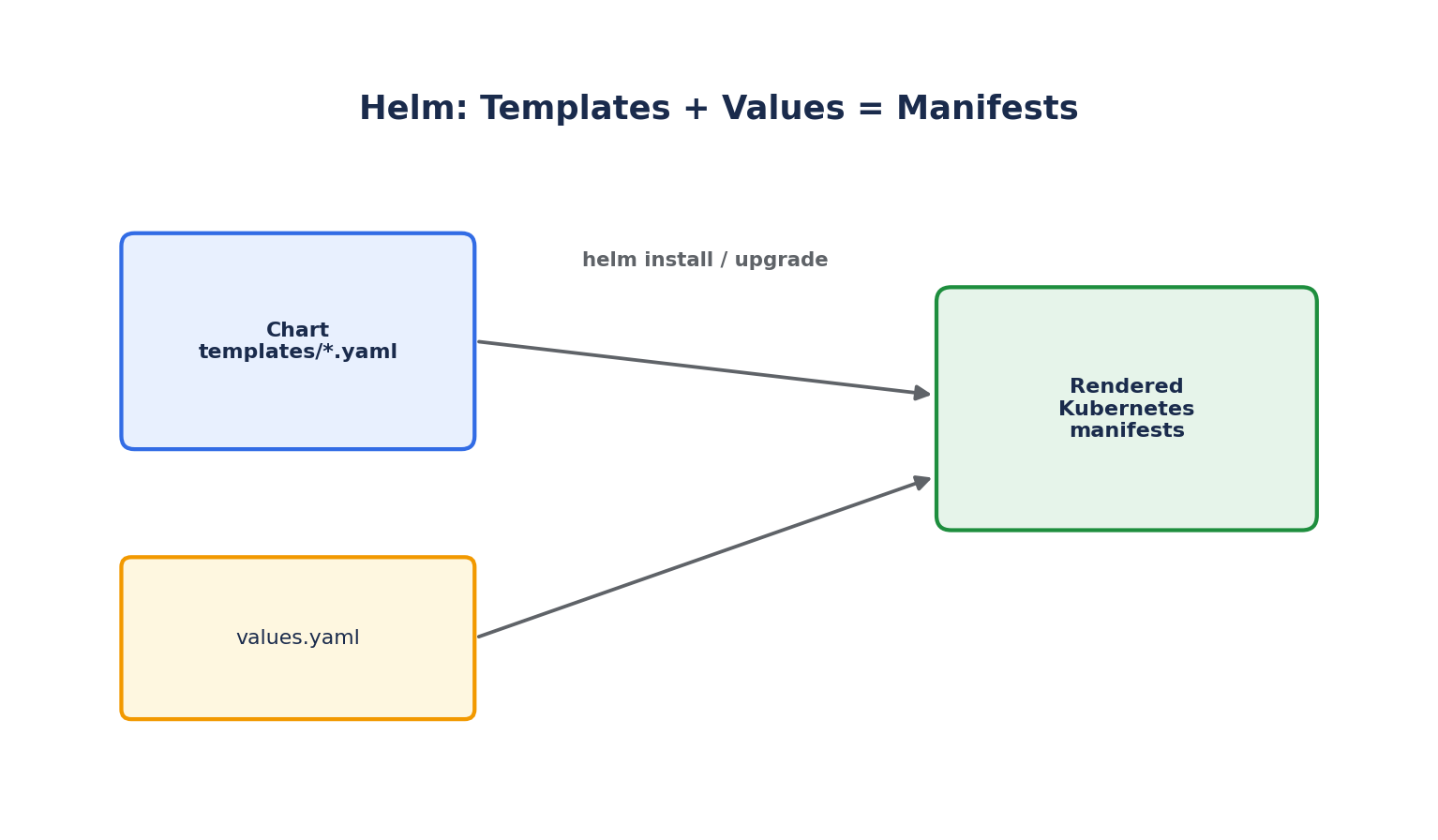
A real application is rarely one YAML file — it's a Deployment, a Service, a ConfigMap, a Secret, an Ingress, maybe a HorizontalPodAutoscaler, all needing to stay in sync as versions change and be deployed consistently across dev, staging, and production with slightly different values in each. Helm is the most widely used package manager for Kubernetes, solving exactly this problem: templating, versioning, and releasing groups of related Kubernetes manifests as a single unit.
- A Chart is a Helm package — a directory of templated YAML manifests plus metadata.
- A Release is a specific deployed instance of a chart, with a specific set of configuration values, installed into a cluster.
- A Repository is a place charts are published and fetched from (similar to how npm or Maven Central work for their ecosystems).
Installing Helm
# macOS
brew install helm

# Linux
curl https://raw.githubusercontent.com/helm/helm/main/scripts/get-helm-3 | bash

# Verify
helm version
Installing an Existing Chart
Most popular software (databases, monitoring stacks, ingress controllers) already has an official or community-maintained Helm chart:
helm repo add bitnami https://charts.bitnami.com/bitnami
helm repo update

helm search repo bitnami/postgresql

helm install my-postgres bitnami/postgresql \
  --set auth.postgresPassword=secretpassword \
  --namespace database --create-namespace
helm list -n database
helm status my-postgres -n database
helm uninstall my-postgres -n database
Anatomy of a Chart
mychart/
  Chart.yaml          # Chart metadata: name, version, description
  values.yaml          # Default configuration values
  templates/
    deployment.yaml
    service.yaml
    ingress.yaml
    _helpers.tpl        # Reusable template snippets
  charts/               # Any chart dependencies (subcharts)
helm create mychart # Scaffolds a new chart with sensible starter templates
Chart.yaml:
apiVersion: v2
name: mychart
description: A Helm chart for my application
version: 0.1.0
appVersion: "1.0.0"
values.yaml (the defaults):
replicaCount: 2
image:
  repository: myapp
  tag: "1.0"
  pullPolicy: IfNotPresent
service:
  type: ClusterIP
  port: 80
resources:
  requests:
    cpu: 100m
    memory: 128Mi
templates/deployment.yaml (using Go template syntax to reference values):
apiVersion: apps/v1
kind: Deployment
metadata:
  name: {{ .Release.Name }}-mychart
spec:
  replicas: {{ .Values.replicaCount }}
  selector:
    matchLabels:
      app: {{ .Release.Name }}
  template:
    metadata:
      labels:
        app: {{ .Release.Name }}
    spec:
      containers:
        - name: mychart
          image: "{{ .Values.image.repository }}:{{ .Values.image.tag }}"
          resources:
            {{- toYaml .Values.resources | nindent 12 }}
{{ .Values.xxx }}pulls fromvalues.yaml(or any override supplied at install time).{{ .Release.Name }}is automatically supplied by Helm based on the release name you choose at install time — letting the same chart be installed multiple times under different names without collisions.
Installing Your Own Chart, with Overrides
helm install my-app ./mychart --namespace production

# Override specific values inline
helm install my-app ./mychart --set replicaCount=5 --set image.tag=1.2.0

# Override using a separate file, common for per-environment configuration
helm install my-app ./mychart -f values-production.yaml
helm template ./mychart              # Render manifests locally without installing — great for debugging
helm install my-app ./mychart --dry-run --debug   # Validate against the actual cluster without applying
Upgrading and Rolling Back Releases
helm upgrade my-app ./mychart --set image.tag=1.3.0
helm history my-app
helm rollback my-app 2       # Roll back to revision 2
Helm keeps a revision history of every release, similar in spirit to how a Deployment keeps ReplicaSet history — helm rollback is often faster and safer than manually figuring out what changed and reverting it by hand.
Why Teams Adopt Helm
- Templating removes duplication across environments — one chart, many
values-*.yamlfiles, instead of maintaining near-identical YAML by hand. - Atomic releases —
helm upgrade --atomicautomatically rolls back if the upgrade fails partway through, rather than leaving the cluster in a half-updated state. - A large ecosystem of ready-made charts (via Artifact Hub) means most common infrastructure — databases, ingress controllers, monitoring stacks — can be installed with a few commands rather than hand-writing hundreds of lines of YAML.