Kubernetes Course
Ways to Run Kubernetes
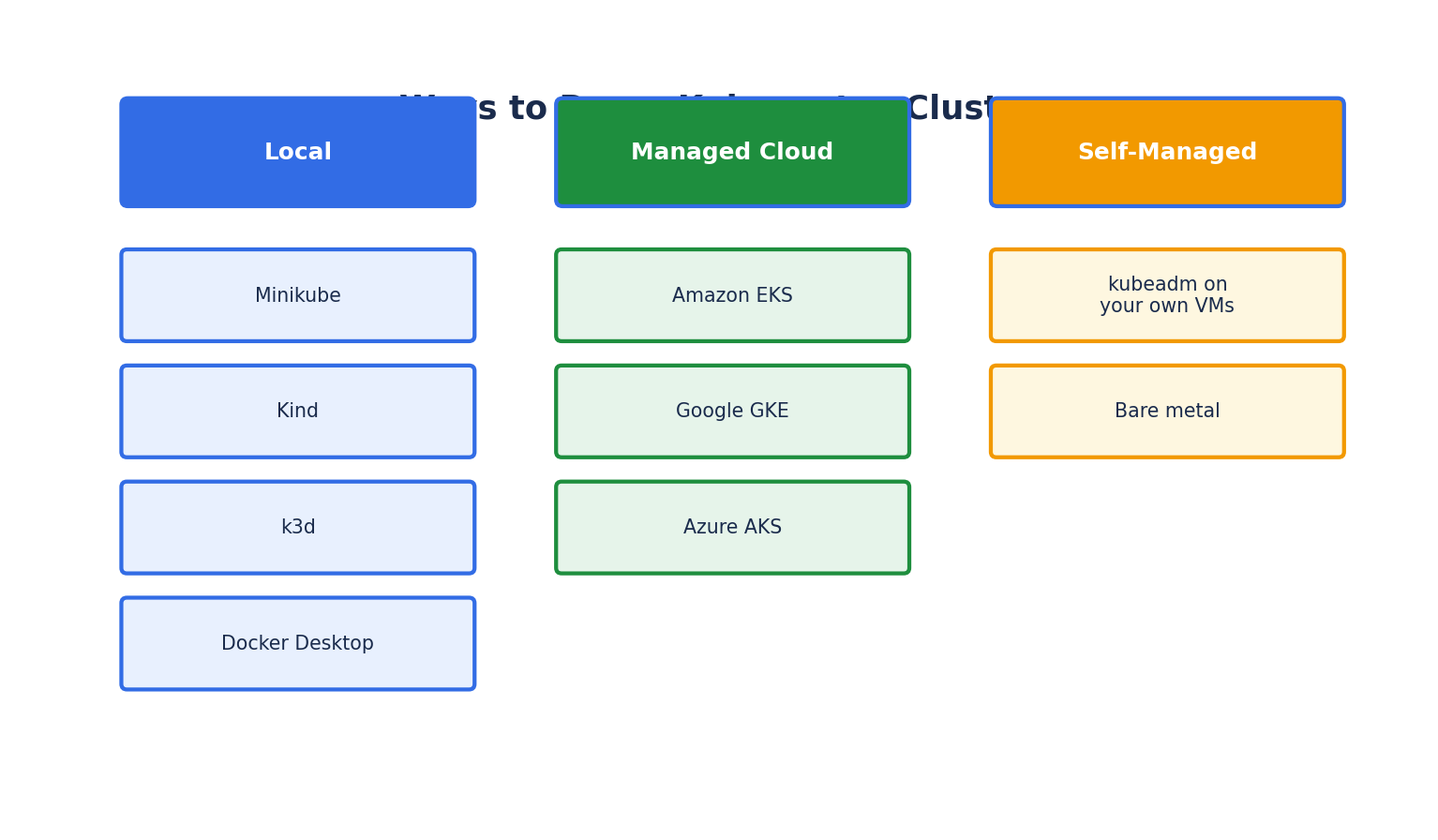
You don't need a data center full of servers to learn Kubernetes. There are several ways to get a working cluster, depending on your goal:
- Local single-node clusters — for learning and local development: Minikube, Kind (Kubernetes IN Docker), k3d, and Docker Desktop's built-in Kubernetes.
- Managed cloud Kubernetes — the provider manages the control plane for you: Amazon EKS, Google GKE, Azure AKS.
- Self-managed clusters — you install and manage every component yourself, typically with kubeadm on your own VMs or bare metal.
For this course, we'll use Minikube, since it's the most common way to learn Kubernetes locally and closely mirrors real cluster behavior.
Installing kubectl
kubectl is the command-line tool used to interact with any Kubernetes cluster — local or remote. It talks to the cluster's API server over HTTPS.
# macOS (Homebrew)
brew install kubectl

# Linux
curl -LO "https://dl.k8s.io/release/$(curl -L -s https://dl.k8s.io/release/stable.txt)/bin/linux/amd64/kubectl"
chmod +x kubectl
sudo mv kubectl /usr/local/bin/

# Windows (Chocolatey)
choco install kubernetes-cli
Verify the install:
kubectl version --client
Installing Minikube
Minikube runs a single-node Kubernetes cluster inside a VM or container on your machine — ideal for learning without cloud costs.
# macOS
brew install minikube

# Linux
curl -LO https://storage.googleapis.com/minikube/releases/latest/minikube-linux-amd64
sudo install minikube-linux-amd64 /usr/local/bin/minikube

# Windows (Chocolatey)
choco install minikube
Start a cluster:
minikube start --driver=docker --cpus=2 --memory=4096
--driver=dockerruns the cluster's node as a Docker container rather than a full VM — the fastest option if Docker is already installed.--cpusand--memorycontrol the resources allocated to the cluster's single node.
Check cluster status:
minikube status
kubectl get nodes
Alternative: Kind (Kubernetes IN Docker)
Kind creates Kubernetes clusters using Docker containers as "nodes," making it fast to spin up and tear down — especially popular in CI pipelines.
# Install (requires Go or a prebuilt binary)
curl -Lo ./kind https://kind.sigs.k8s.io/dl/latest/kind-linux-amd64
chmod +x ./kind
sudo mv ./kind /usr/local/bin/kind

# Create a cluster
kind create cluster --name learning-cluster

# Delete a cluster
kind delete cluster --name learning-cluster
Kind is well suited to multi-node clusters on a single machine — you can define several "nodes" (each a container) in a config file, which is useful for testing scheduling and networking behavior that a single-node Minikube cluster can't demonstrate.
Verifying Your Cluster
Once any cluster is running, these commands confirm everything is healthy:
kubectl cluster-info          # Shows control plane and DNS endpoints
kubectl get nodes             # Lists nodes and their status
kubectl get pods -A           # Lists all pods across all namespaces (-A = --all-namespaces)
kubectl get componentstatuses # Legacy check of control plane component health (deprecated in newer versions)
kubectl get nodes should show at least one node in Ready status:
NAME       STATUS   ROLES           AGE   VERSION
minikube   Ready    control-plane   2m    v1.30.0
kubectl Configuration (kubeconfig)
kubectl reads connection details — cluster address, credentials, and the current context — from a kubeconfig file, by default at ~/.kube/config. When you have access to multiple clusters (local, staging, production), contexts let you switch between them safely.
kubectl config get-contexts          # List available contexts
kubectl config current-context       # Show the active context
kubectl config use-context minikube  # Switch context
Important safety habit: always run kubectl config current-context before applying changes, especially before deleting resources — accidentally running a destructive command against a production context is one of the most common real-world Kubernetes incidents.
The Kubernetes Dashboard
Minikube ships with an optional web UI for visually inspecting cluster resources:
minikube dashboard
This is useful while learning, to visually confirm what kubectl commands are doing, though most production workflows rely on kubectl, GitOps tooling, or observability platforms rather than the dashboard directly.