Kubernetes Course
History of Kubernetes
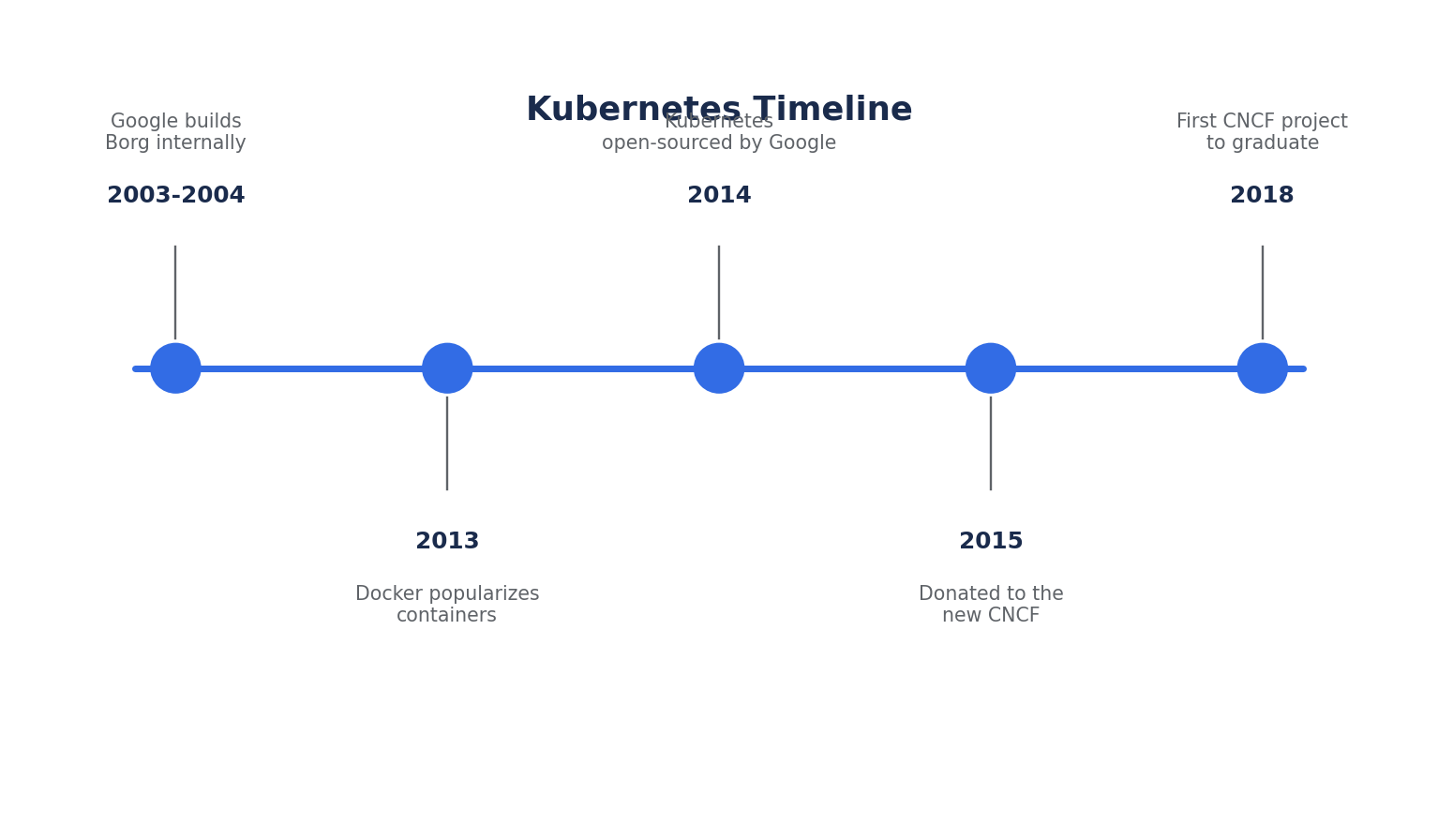
- Kubernetes (often abbreviated K8s — "K", 8 letters, "s") was originally designed by Google, based on internal container-orchestration systems called Borg and its successor Omega, which Google had used internally for over a decade to run billions of containers a week.
- Google open-sourced Kubernetes in 2014 and donated it to the newly formed Cloud Native Computing Foundation (CNCF) in 2015, alongside Linux Foundation backing. It was the CNCF's first graduated project (graduated in 2018).
- The name comes from the Greek word for "helmsman" or "pilot" — the one who steers a ship. This is why the Kubernetes logo is a ship's wheel with seven spokes.
- Kubernetes emerged as a response to the limitations of running containers directly with plain Docker: no automatic restart of failed containers, no built-in load balancing across hosts, no self-healing, and no declarative way to describe "what I want" vs. "how to do it step by step."
- Kubernetes is not tied to any single cloud provider. It runs on AWS, Azure, GCP, on-premises data centers, and even on a laptop (via Minikube or Kind), making it the de facto standard for container orchestration.
Container: A lightweight, standalone, executable package that bundles an application with everything it needs to run — code, runtime, system tools, libraries, and settings. Containers isolate processes using Linux namespaces and cgroups, but share the host OS kernel (unlike virtual machines, which virtualize an entire OS).
Container Orchestration: The automated management of the lifecycle of containers — scheduling them onto machines, restarting them when they fail, scaling them up or down based on load, and networking them together — across a cluster of many machines.
Cluster: A set of machines (nodes) that Kubernetes uses to run containerized applications. A cluster has at least one control plane node and one or more worker nodes.
Before Kubernetes, teams running containers at scale faced real operational problems:
- Manually deciding which server should run which container, and rebalancing when servers failed
- No standard way to roll out new versions without downtime
- No built-in mechanism to detect and replace unhealthy containers
- Networking between containers across different hosts was ad hoc and fragile
What Problem Does Kubernetes Solve?
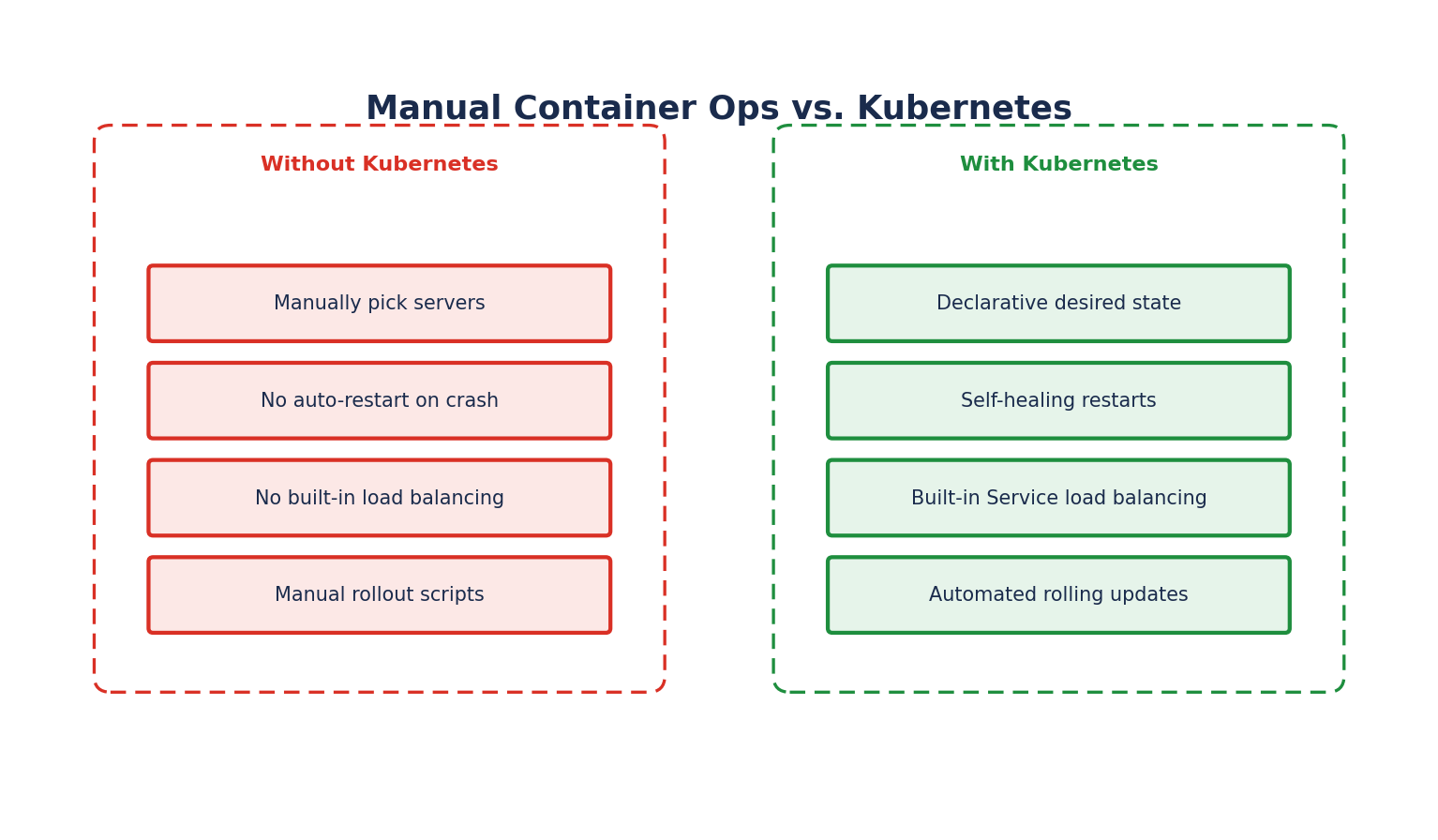
Kubernetes takes a declarative approach to infrastructure: instead of writing scripts that say "start this container, then that one, then check if it's healthy," you write a YAML manifest describing the desired state — "I want 3 replicas of this application running, exposed on port 80" — and Kubernetes continuously works to make the actual state match that desired state.
- Self-healing: If a container crashes, Kubernetes restarts it. If a node dies, Kubernetes reschedules its pods onto healthy nodes.
- Horizontal scaling: Kubernetes can scale the number of running application instances up or down manually, or automatically based on CPU/memory usage (Horizontal Pod Autoscaler).
- Service discovery and load balancing: Containers get their own IP addresses and a single DNS name for a set of containers, with built-in load balancing across them.
- Automated rollouts and rollbacks: Kubernetes can progressively roll out changes to your application, monitor health, and automatically roll back a bad deployment.
- Storage orchestration: Automatically mount local storage, cloud provider storage (EBS, Azure Disk, GCE PD), or network storage (NFS) of your choice.
- Secret and configuration management: Deploy and update secrets (passwords, API keys) and application configuration without rebuilding container images.
Kubernetes vs. Docker
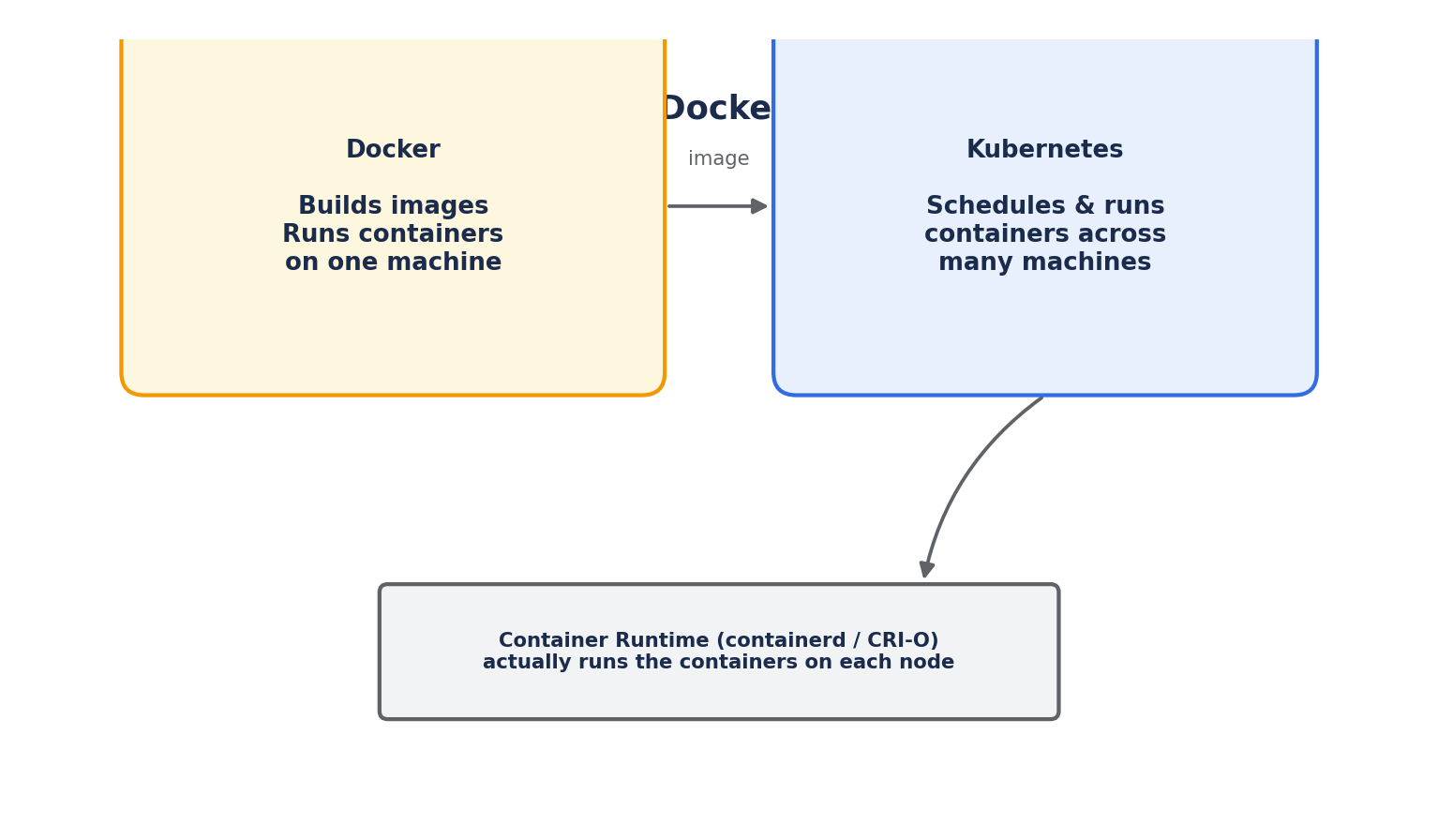
A common point of confusion: Kubernetes is not a replacement for Docker. They solve different problems.
Docker
- Builds container images from a
Dockerfile - Runs individual containers on a single machine
- Provides
docker-composefor very simple multi-container setups on one host — but no cross-host scheduling, self-healing, or scaling
Kubernetes
- Orchestrates containers across many machines (nodes)
- Decides which node runs which container, restarts failed containers, and reschedules them if a node goes down
- Does not build container images — it consumes images already built (typically by Docker, Podman, or a CI pipeline) and pulls them from a registry
- As of Kubernetes 1.24+, the built-in
dockershimwas removed; Kubernetes now uses the Container Runtime Interface (CRI) to talk to any compliant runtime — most commonly containerd or CRI-O — rather than requiring the Docker Engine itself to be installed on nodes.
A useful summary: you still use Docker (or another tool) to build images; you use Kubernetes to run and manage them at scale.
Key Features of Kubernetes
- Declarative configuration: Desired state is described in YAML/JSON manifests, applied via
kubectl apply, and stored inetcd. - Portability: The same manifests run on any conformant Kubernetes cluster — a laptop, a bare-metal data center, or any major cloud provider's managed offering (EKS, AKS, GKE).
- Extensibility: Custom Resource Definitions (CRDs) and the Operator pattern let you extend the Kubernetes API with your own resource types and controllers.
- Immutable infrastructure: Rather than patching running containers, you replace them with new ones built from updated images — reducing configuration drift.
- Batteries included, but swappable: Kubernetes ships with sensible defaults (like the
kube-proxynetworking model) but lets you swap in alternatives (like a different CNI plugin or ingress controller) to fit your environment.
What Kubernetes is NOT
- It is not a Platform-as-a-Service (PaaS) like Heroku — it doesn't deploy source code directly or provide built-in CI/CD, though it's commonly used as the foundation other PaaS-like tools are built on.
- It is not a complete "batteries-included" solution for logging, monitoring, or CI/CD — these are typically added via the ecosystem (Prometheus, Grafana, Fluentd, ArgoCD, etc.).
- It does not replace the need for good application design — a poorly designed monolith doesn't magically become resilient just by being containerized and deployed to Kubernetes.
Why Learn Kubernetes?
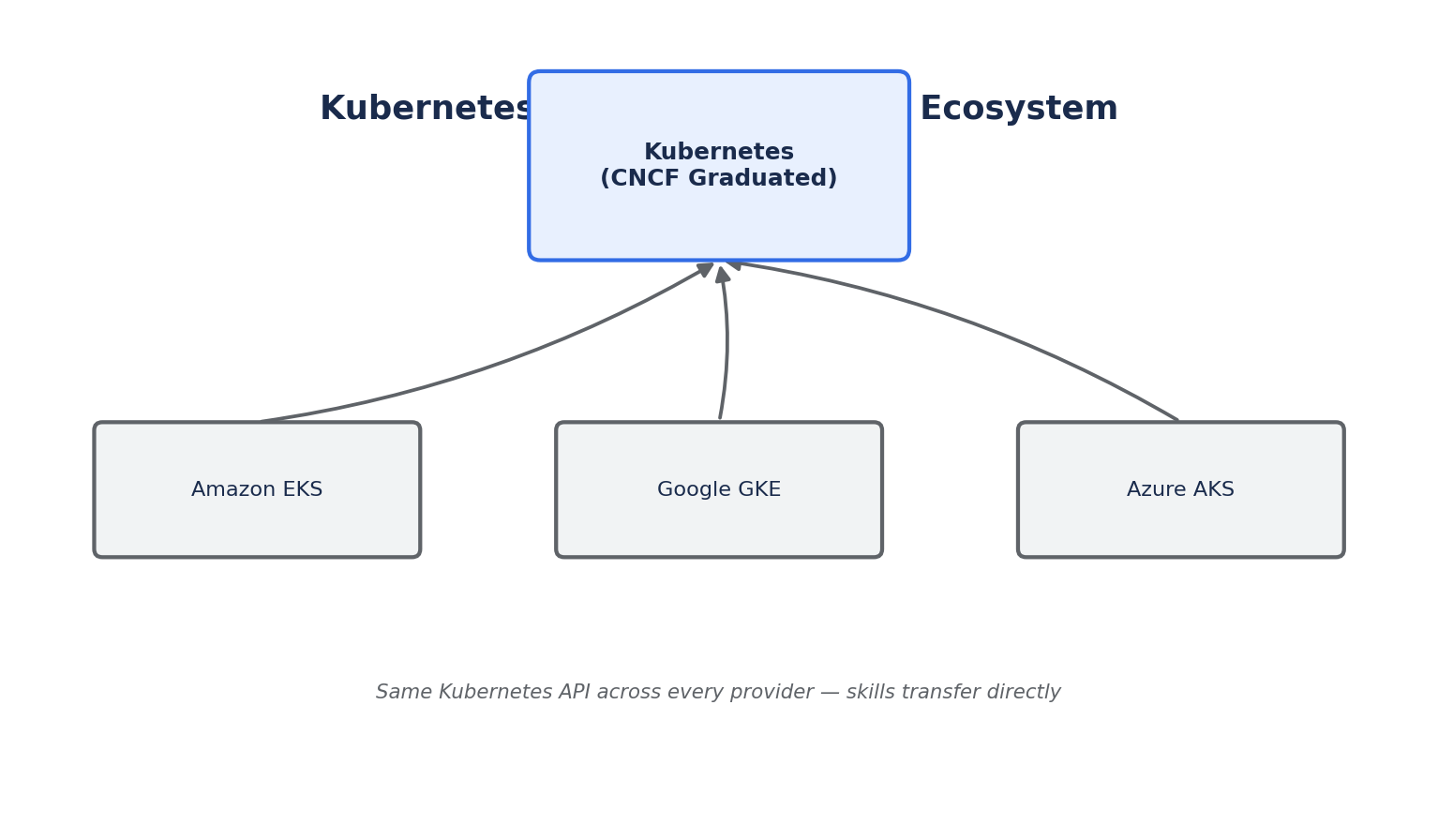
Kubernetes has become the standard way organizations deploy and manage containerized workloads at scale. All major cloud providers offer managed Kubernetes services (Amazon EKS, Google GKE, Azure AKS), and the skills transfer almost directly between them because the Kubernetes API itself is standardized. Understanding Kubernetes is now a baseline expectation for backend, DevOps, and platform engineering roles.
In this course, we'll go from the fundamentals — pods, deployments, and services — through networking, storage, security, and package management with Helm, building toward the knowledge you need to design, deploy, and operate real production workloads on Kubernetes.