Kubernetes Course
What is a Pod?
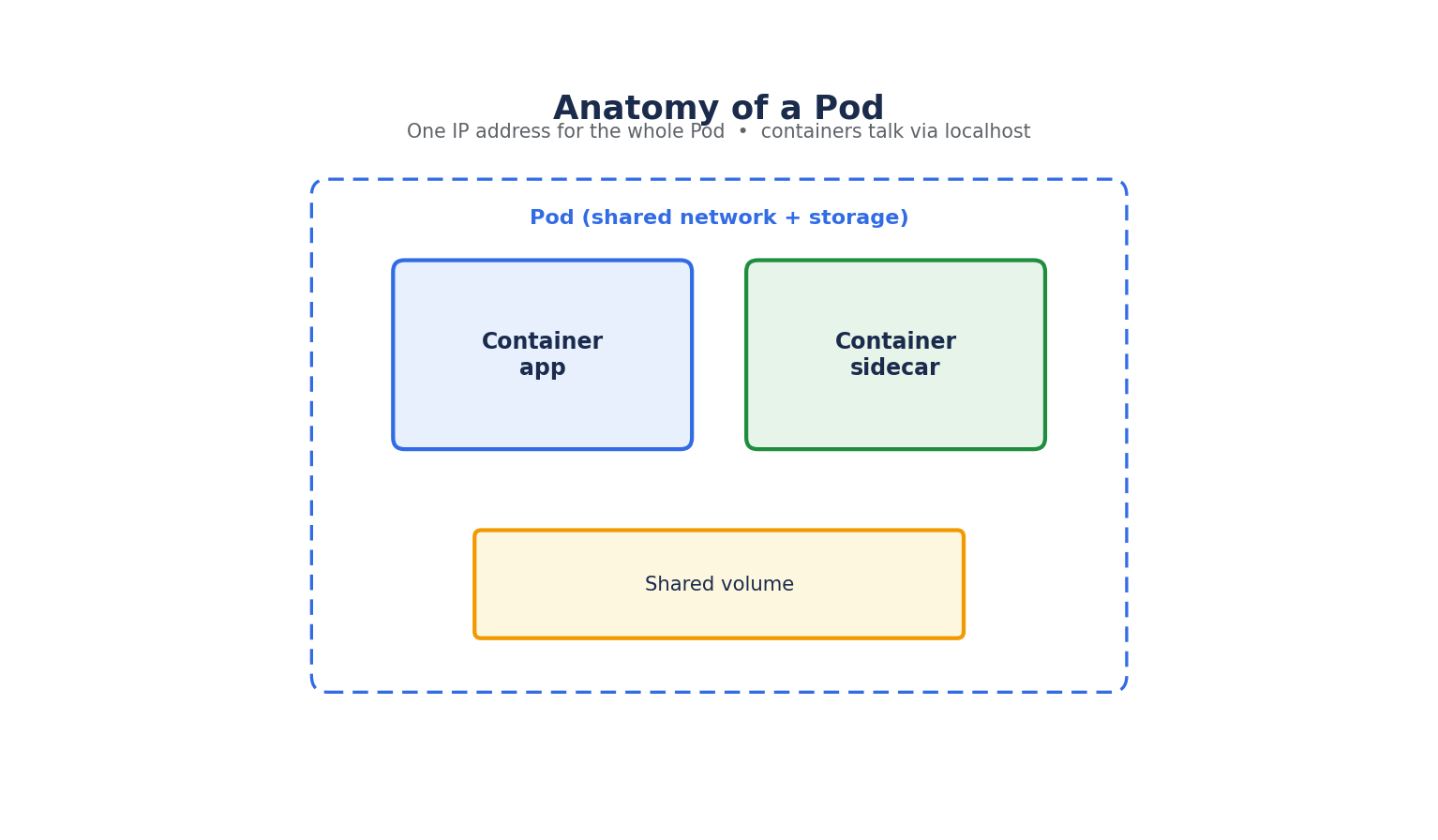
A Pod is the smallest deployable unit in Kubernetes — not a container. A Pod is a wrapper around one or more containers that:
- Share the same network namespace — meaning all containers in a Pod share a single IP address and port space, and can reach each other over
localhost. - Share the same storage volumes, if defined, so containers in the same Pod can read/write shared files.
- Are always scheduled together onto the same node, and live and die together.
Most Pods run a single container — the multi-container Pod is a deliberate design choice for specific patterns (covered below), not the default way to run unrelated applications.
Creating a Pod (Imperative)
You can create a Pod directly from the command line, though this is mostly used for quick testing:
kubectl run nginx-pod --image=nginx:1.27 --port=80
kubectl get pods
kubectl describe pod nginx-pod
kubectl logs nginx-pod
kubectl delete pod nginx-pod
In real projects, imperative commands like this are rarely used for anything beyond quick debugging — declarative YAML manifests are the standard, since they're version-controllable and repeatable.
Creating a Pod (Declarative YAML)
apiVersion: v1
kind: Pod
metadata:
  name: nginx-pod
  labels:
    app: nginx
    tier: frontend
spec:
  containers:
    - name: nginx
      image: nginx:1.27
      ports:
        - containerPort: 80
      resources:
        requests:
          cpu: "100m"
          memory: "128Mi"
        limits:
          cpu: "250m"
          memory: "256Mi"
kubectl apply -f pod.yaml
apiVersion,kind,metadata, andspecare the four top-level fields present in every Kubernetes manifest.metadata.labelsare key-value pairs used to identify and select objects — Services, Deployments, and other controllers use label selectors (not names) to find the Pods they manage.resources.requestsis what the scheduler uses to decide which node has room for this Pod.resources.limitsis the hard ceiling the container runtime enforces — a container exceeding its memory limit is killed (OOMKilled); exceeding its CPU limit results in throttling, not termination.
Pod Lifecycle Phases
- Pending: The Pod has been accepted by the cluster, but one or more containers hasn't been created yet (commonly because the image is still being pulled, or the scheduler hasn't found a node).
- Running: The Pod has been bound to a node, and all containers have been created; at least one is running, starting, or restarting.
- Succeeded: All containers terminated successfully and won't be restarted (typical for one-off Jobs).
- Failed: All containers terminated, and at least one terminated in failure.
- Unknown: The Pod's state couldn't be determined, usually because of a communication failure with the node.
kubectl get pods -o wide     # Shows phase, node, and IP
kubectl describe pod <name>  # Shows detailed events — the first place to look when a Pod won't start
Multi-Container Pods and Design Patterns
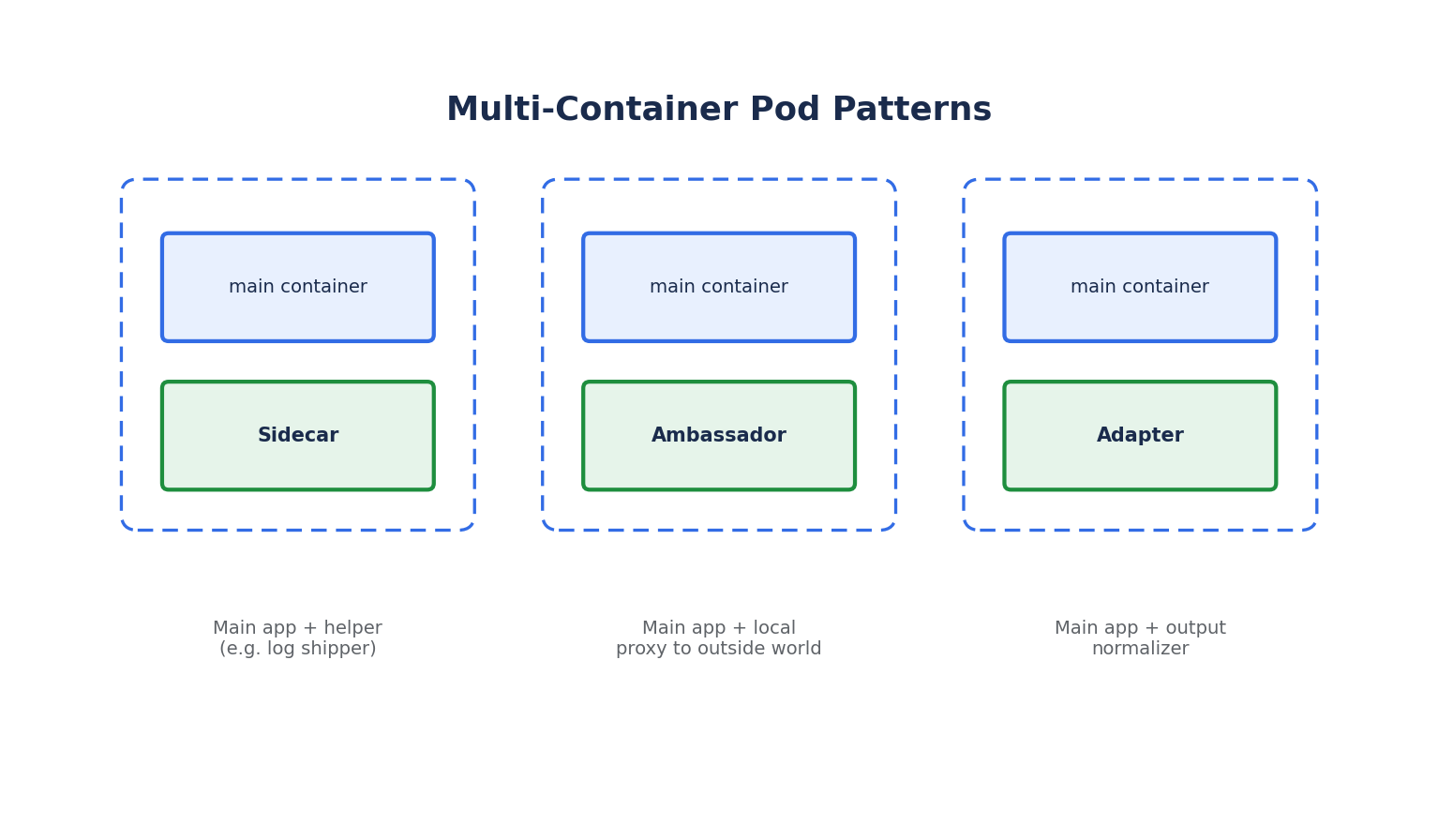
Multi-container Pods exist for containers that are tightly coupled and must scale together — not as a general way to bundle unrelated services.
- Sidecar: A helper container that extends the main container's functionality — e.g., a log-shipping container that tails logs from a shared volume and forwards them to a logging backend.
- Ambassador: A proxy container that simplifies how the main container talks to the outside world — e.g., a local proxy that handles connection pooling to a database.
- Adapter: A container that standardizes/normalizes the main container's output — e.g., transforming non-standard monitoring metrics into a Prometheus-compatible format.
Init Containers are a related but distinct concept: they run to completion, in order, before the main application containers start, and are commonly used to wait for a dependency or run setup logic.
spec:
  initContainers:
    - name: wait-for-db
      image: busybox:1.36
      command: ['sh', '-c', 'until nc -z db-service 5432; do sleep 2; done']
  containers:
    - name: app
      image: myapp:1.0
Why You (Usually) Don't Create Bare Pods
A Pod created directly, as above, has no self-healing: if the node it's on dies, or the Pod is deleted, it is not automatically recreated. In practice, Pods are almost always created and managed indirectly through a higher-level controller — a Deployment, StatefulSet, DaemonSet, or Job — which we'll cover next. Those controllers watch over a desired number of Pod replicas and recreate them as needed.
kubectl delete pod nginx-pod # A bare Pod is gone for good — nothing recreates it