Kubernetes Course
Authentication vs. Authorization
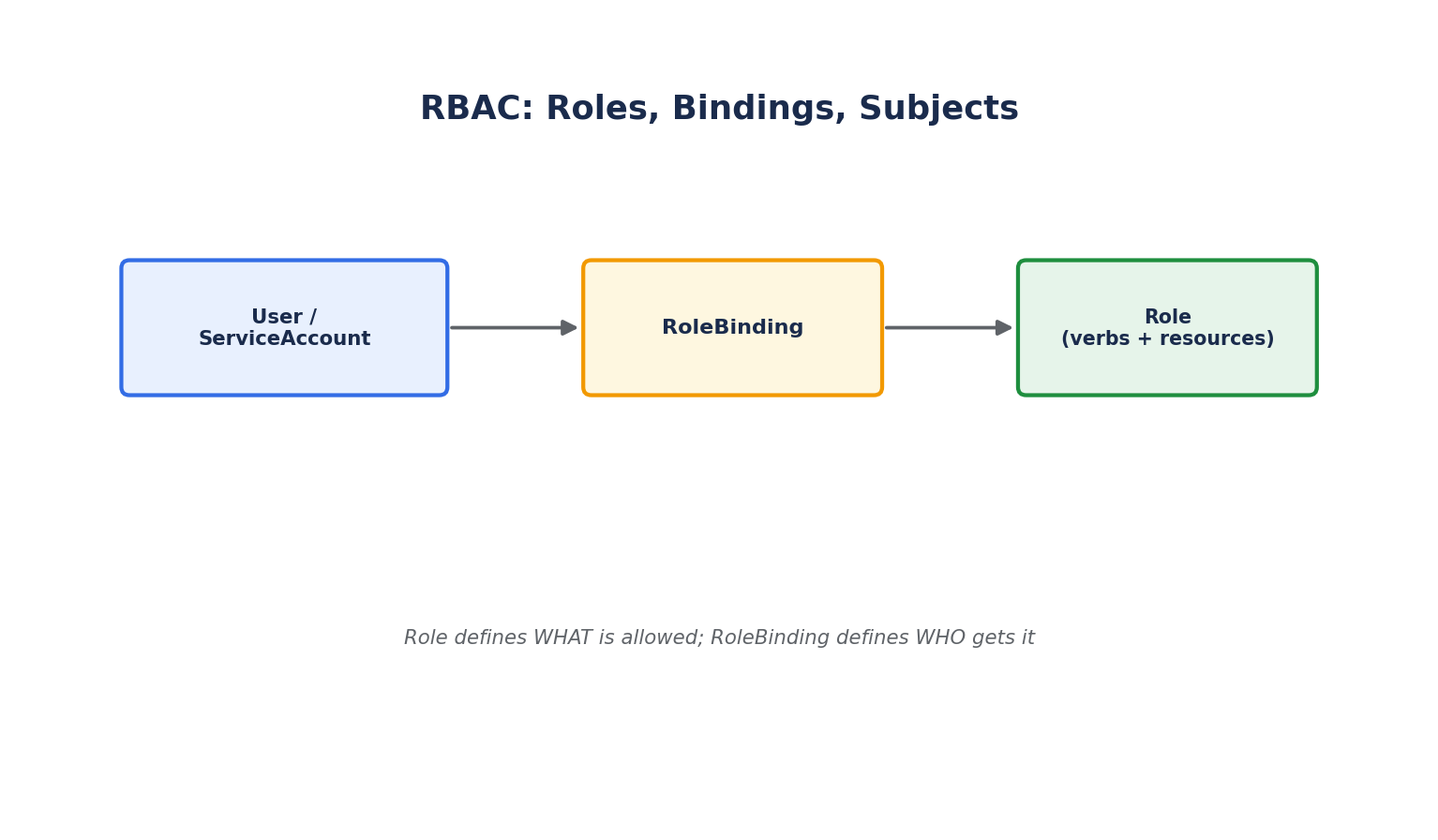
Every request to the Kubernetes API server goes through two distinct checks:
- Authentication: "Who are you?" Kubernetes doesn't manage user accounts itself — it supports several authentication strategies (client certificates, static tokens, OIDC integration with an identity provider, or cloud-provider-specific IAM integration), but the outcome is always the same: a username and group memberships are attached to the request.
- Authorization: "Are you allowed to do this?" This is where RBAC (Role-Based Access Control) comes in — the standard mechanism for controlling what an authenticated identity can do inside the cluster.
ServiceAccounts — Identity for Pods
Users authenticate as themselves, but Pods need their own identity to talk to the API server (for example, a controller Pod that needs to list other Pods). A ServiceAccount provides that identity.
apiVersion: v1
kind: ServiceAccount
metadata:
  name: app-reader
  namespace: production
spec:
  serviceAccountName: app-reader
  containers:
    - name: app
      image: myapp:1.0
Every namespace has a default ServiceAccount automatically, which is used by any Pod that doesn't explicitly specify one — and by default it typically has no meaningful permissions, which is the safe starting point.
Roles and RoleBindings (Namespace-Scoped)
A Role defines a set of permissions — which actions (verbs) are allowed on which resource types — scoped to a single namespace:
apiVersion: rbac.authorization.k8s.io/v1
kind: Role
metadata:
  name: pod-reader
  namespace: production
rules:
  - apiGroups: [""]
    resources: ["pods"]
    verbs: ["get", "list", "watch"]
A RoleBinding grants that Role to a specific user, group, or ServiceAccount:
apiVersion: rbac.authorization.k8s.io/v1
kind: RoleBinding
metadata:
  name: read-pods-binding
  namespace: production
subjects:
  - kind: ServiceAccount
    name: app-reader
    namespace: production
roleRef:
  kind: Role
  name: pod-reader
  apiGroup: rbac.authorization.k8s.io
apiGroups: [""]refers to the core API group (Pods, Services, ConfigMaps, Secrets, etc.). Other resources use named groups, e.g.appsfor Deployments,batchfor Jobs.verbsare the allowed actions:get,list,watch,create,update,patch,delete, and a few others.- A Role only grants permissions within its own namespace, even if the same Role name exists in another namespace — they're entirely separate objects.
ClusterRoles and ClusterRoleBindings
For permissions that span all namespaces, or apply to cluster-scoped resources (like Nodes or PersistentVolumes), use ClusterRole and ClusterRoleBinding instead:
apiVersion: rbac.authorization.k8s.io/v1
kind: ClusterRole
metadata:
  name: node-viewer
rules:
  - apiGroups: [""]
    resources: ["nodes"]
    verbs: ["get", "list", "watch"]
apiVersion: rbac.authorization.k8s.io/v1
kind: ClusterRoleBinding
metadata:
  name: node-viewer-binding
subjects:
  - kind: User
    name: jane@example.com
    apiGroup: rbac.authorization.k8s.io
roleRef:
  kind: ClusterRole
  name: node-viewer
  apiGroup: rbac.authorization.k8s.io
A ClusterRole can also be bound within a single namespace via a regular RoleBinding — a useful pattern for reusing one well-defined set of permissions (like a generic "edit" role) across many namespaces without redefining it each time.
kubectl auth can-i list pods --as=system:serviceaccount:production:app-reader
kubectl get rolebindings,clusterrolebindings -A
Principle of Least Privilege
- Never grant
cluster-admin(the built-in, all-powerful ClusterRole) to a ServiceAccount unless absolutely necessary — it's equivalent to root on the entire cluster. - Avoid wildcard permissions (
resources: ["*"],verbs: ["*"]) except for genuinely cluster-wide administrative tooling. - Give each application's ServiceAccount only the exact verbs and resources it needs, scoped to its own namespace whenever possible.
Pod Security — Restricting What Containers Can Do
Beyond RBAC (controlling API access), a separate layer of security controls what a running container is allowed to do on its node — the Pod Security Standards (which replaced the older, now-removed PodSecurityPolicy).
spec:
  securityContext:
    runAsNonRoot: true
    runAsUser: 1000
    readOnlyRootFilesystem: true
    allowPrivilegeEscalation: false
    capabilities:
      drop: ["ALL"]
runAsNonRoot: Refuses to start the container if its image would run as root.readOnlyRootFilesystem: Mounts the container's own filesystem as read-only, forcing any writes to go to explicitly mounted volumes — this significantly limits what an attacker can do if the application is compromised.allowPrivilegeEscalation: falsecombined withcapabilities.drop: ["ALL"]removes Linux capabilities a typical application container never needs (like the ability to bind low ports as root or manipulate network interfaces).
At the namespace level, the built-in Pod Security Admission controller can enforce these baselines cluster-wide via a namespace label:
kubectl label namespace production pod-security.kubernetes.io/enforce=restricted
This rejects any Pod in that namespace that doesn't meet the restricted profile — one of the simplest, highest-leverage security controls available in a modern cluster.