Kubernetes Course
ReplicaSets
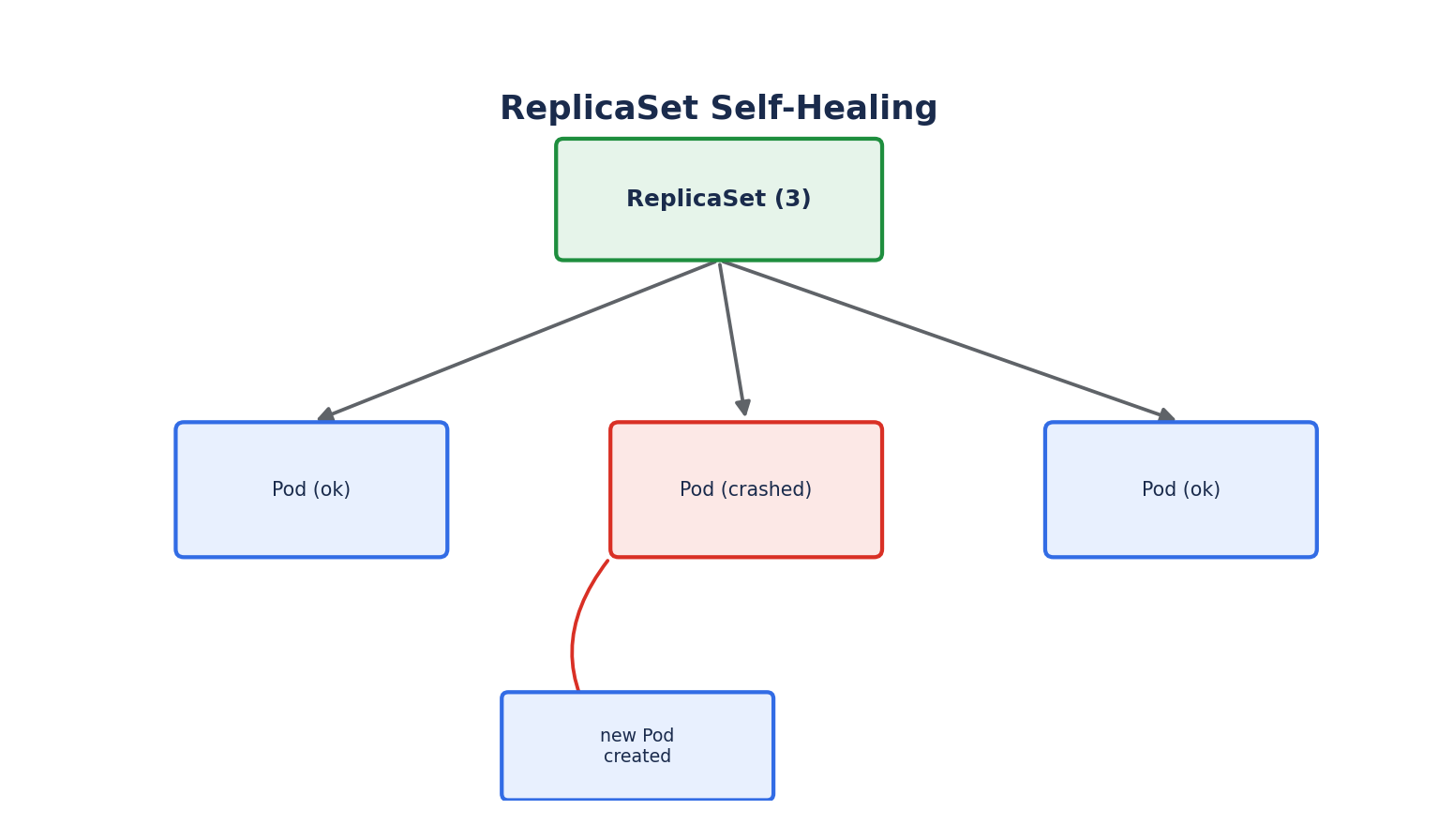
A ReplicaSet ensures that a specified number of identical Pod replicas are running at all times. If a Pod managed by a ReplicaSet is deleted or crashes, the ReplicaSet's controller notices the discrepancy and creates a replacement.
apiVersion: apps/v1
kind: ReplicaSet
metadata:
  name: nginx-rs
spec:
  replicas: 3
  selector:
    matchLabels:
      app: nginx
  template:
    metadata:
      labels:
        app: nginx
    spec:
      containers:
        - name: nginx
          image: nginx:1.27
selector.matchLabelstells the ReplicaSet which Pods it owns — any Pod matching these labels, whether created by this ReplicaSet or not, is considered part of it.templateis the Pod specification used to create new replicas when needed. It must include labels that match the selector, or the ReplicaSet will loop endlessly creating Pods it doesn't recognize as its own.
In practice, you rarely create ReplicaSets directly. They exist primarily as an implementation detail managed by Deployments.
Deployments
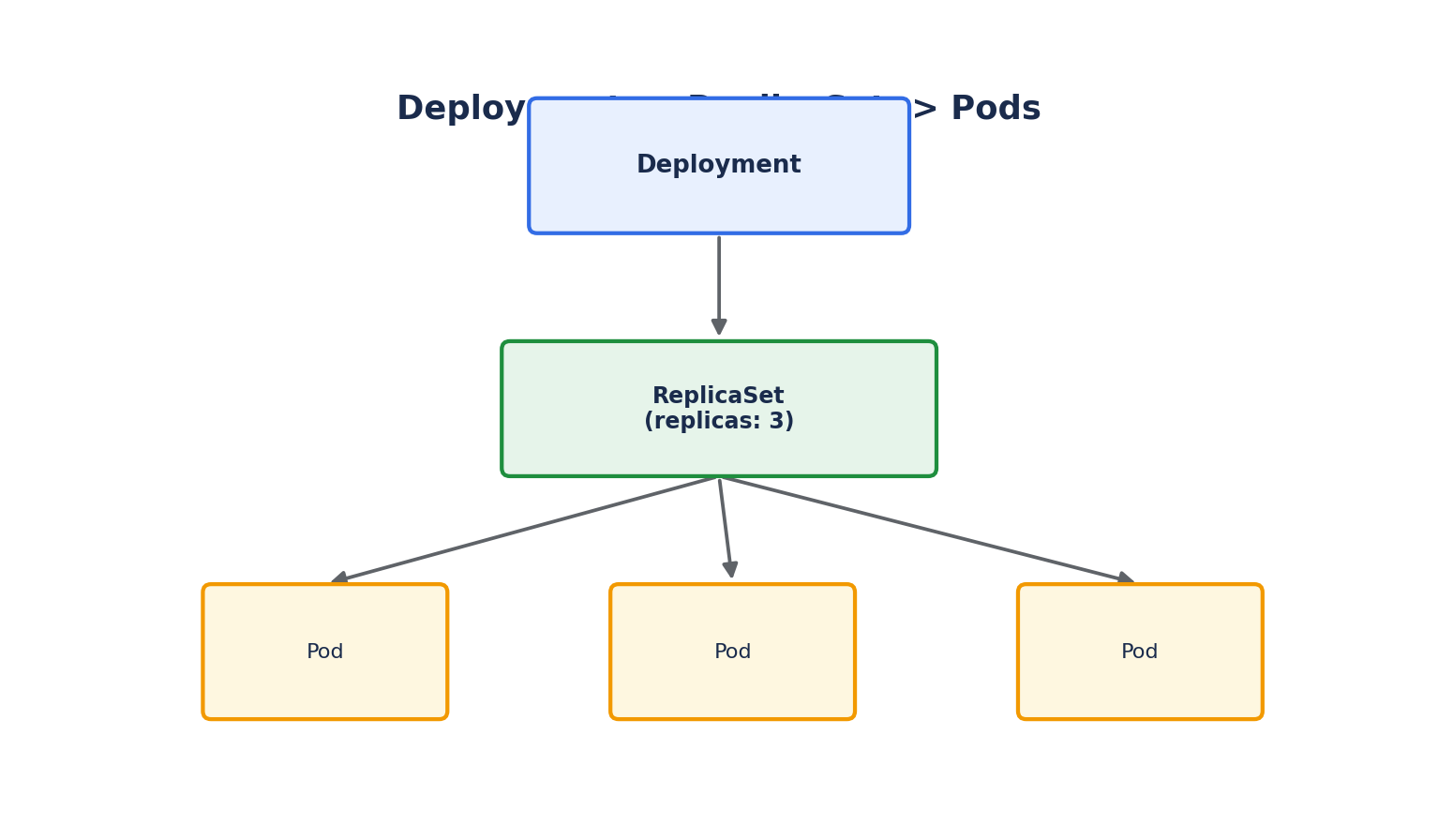
A Deployment is a higher-level controller that manages ReplicaSets on your behalf, adding the capability that ReplicaSets alone don't have: declarative, controlled updates and rollbacks.
apiVersion: apps/v1
kind: Deployment
metadata:
  name: nginx-deployment
  labels:
    app: nginx
spec:
  replicas: 3
  selector:
    matchLabels:
      app: nginx
  template:
    metadata:
      labels:
        app: nginx
    spec:
      containers:
        - name: nginx
          image: nginx:1.27
          ports:
            - containerPort: 80
kubectl apply -f deployment.yaml
kubectl get deployments
kubectl get replicasets     # Notice the Deployment created one automatically
kubectl get pods
When you create a Deployment, it creates a ReplicaSet, which in turn creates the Pods. This chain — Deployment → ReplicaSet → Pods — is what makes Deployments self-healing at every level.
Scaling a Deployment
kubectl scale deployment nginx-deployment --replicas=5
Or update replicas in the YAML and reapply — the declarative approach preferred for anything version-controlled:
kubectl apply -f deployment.yaml
Rolling Updates
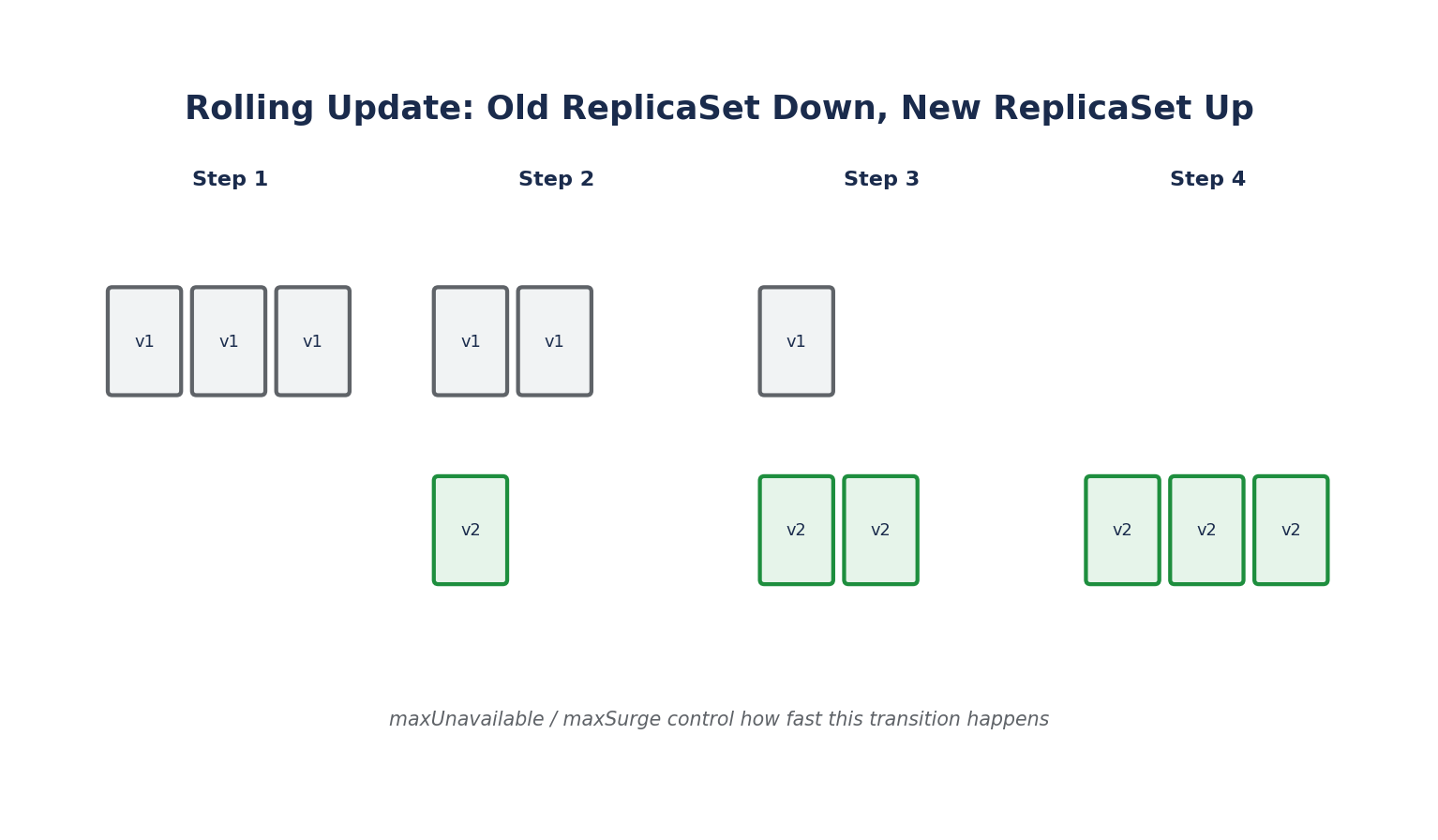
When you change the container image (or other Pod template fields) in a Deployment, Kubernetes performs a rolling update by default: it creates a new ReplicaSet for the new version, and gradually scales it up while scaling the old ReplicaSet down — avoiding downtime.
kubectl set image deployment/nginx-deployment nginx=nginx:1.28
kubectl rollout status deployment/nginx-deployment
The rollout behavior is configurable via the strategy field:
spec:
  strategy:
    type: RollingUpdate
    rollingUpdate:
      maxUnavailable: 1   # Max Pods that can be unavailable during the update
      maxSurge: 1         # Max Pods that can be created above the desired count
maxUnavailablecontrols how much capacity can dip during the rollout.maxSurgecontrols how many extra Pods can temporarily exist while rolling out.- The other strategy option,
type: Recreate, kills all old Pods before creating new ones — causing brief downtime, but sometimes required when the old and new versions can't run simultaneously (e.g., incompatible database schema migrations).
Rollback
Every change to a Deployment's Pod template creates a new revision. If a rollout introduces a bug, you can roll back:
kubectl rollout history deployment/nginx-deployment
kubectl rollout undo deployment/nginx-deployment
kubectl rollout undo deployment/nginx-deployment --to-revision=2
This works because the old ReplicaSet isn't deleted immediately — it's scaled down to zero replicas but kept around (up to a configurable history limit via spec.revisionHistoryLimit) so it can be scaled back up instantly on rollback.
Deployment vs. ReplicaSet vs. Pod — Summary
| Object | Manages | Self-heals | Rolling updates | |---|---|---|---| | Pod | Containers | No | No | | ReplicaSet | Pods | Yes | No | | Deployment | ReplicaSets | Yes | Yes |
For any stateless application — web servers, REST APIs, workers — Deployments are the default choice and by far the most commonly used workload controller in Kubernetes.