Back to Kubernetes Course
Kubernetes Course
Why Services Exist
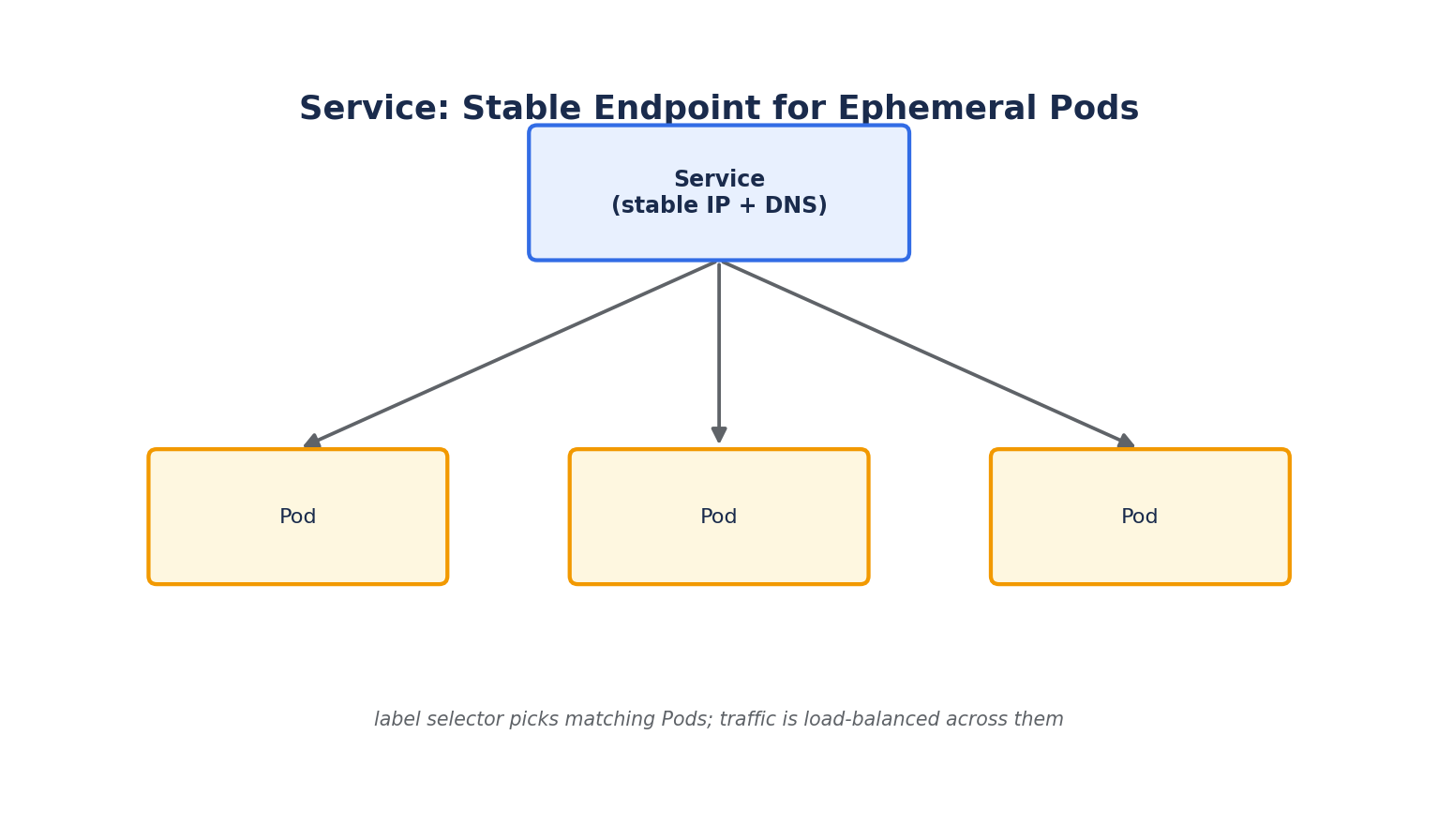
Pods are ephemeral — they're created and destroyed constantly by rollouts, scaling, and self-healing, and each new Pod gets a new IP address. Nothing that talks to your application should ever hard-code a Pod's IP. A Service solves this by providing a single, stable IP address and DNS name that automatically load-balances traffic across whichever Pods currently match its label selector.
- A Service doesn't "contain" Pods the way a Deployment does — it simply watches for Pods matching its selector and continuously updates its list of valid targets (called Endpoints).
- Services and the Pods they route to are decoupled entirely through labels, not names or fixed addresses.
ClusterIP (Default Type)
apiVersion: v1
kind: Service
metadata:
  name: backend-service
spec:
  type: ClusterIP
  selector:
    app: backend
  ports:
    - port: 80          # Port the Service exposes
      targetPort: 8080  # Port the container actually listens on
- Exposes the Service on an internal, cluster-only IP address. It is reachable only from within the cluster — other Pods, not external clients.
- This is the right choice for internal-only components, like a backend API that only your frontend Pods should reach, or a database.
- Every Service also gets an internal DNS name automatically:
<service-name>.<namespace>.svc.cluster.local, or simply<service-name>from within the same namespace.
kubectl apply -f service.yaml
kubectl get svc
kubectl get endpoints backend-service   # Confirms which Pod IPs are currently targeted
NodePort
spec:
  type: NodePort
  selector:
    app: backend
  ports:
    - port: 80
      targetPort: 8080
      nodePort: 30080   # Optional — Kubernetes assigns one from 30000-32767 if omitted
- Exposes the Service on a static port on every node's IP address, in addition to a ClusterIP. Any traffic to
<any-node-ip>:30080is routed to the Service. - Useful for quick local testing or simple setups without a cloud load balancer, but rarely used directly in production because it ties clients to a specific node's IP and an unfriendly high port number.
LoadBalancer
spec:
  type: LoadBalancer
  selector:
    app: frontend
  ports:
    - port: 80
      targetPort: 8080
- Requests an external load balancer from the cloud provider (an AWS NLB/ELB, Azure Load Balancer, or GCP Load Balancer), which routes external traffic into the cluster.
- On a bare-metal or local cluster with no cloud integration, the external IP typically stays
<pending>forever unless something like MetalLB is installed to provide that functionality. - This is the standard way to expose a small number of services directly to the internet. For exposing many HTTP(S) services under one IP with host/path-based routing, an Ingress (covered in a later lesson) is usually preferred over one LoadBalancer Service per app.
ExternalName
spec:
  type: ExternalName
  externalName: my-database.example-rds.amazonaws.com
- Maps a Service to an external DNS name rather than to Pods. Useful when migrating a workload into the cluster gradually — internal Pods can keep referring to
my-database-service, while the actual target starts out as an external database and later becomes an in-cluster one, with no application code changes required.
How Service Routing Actually Works
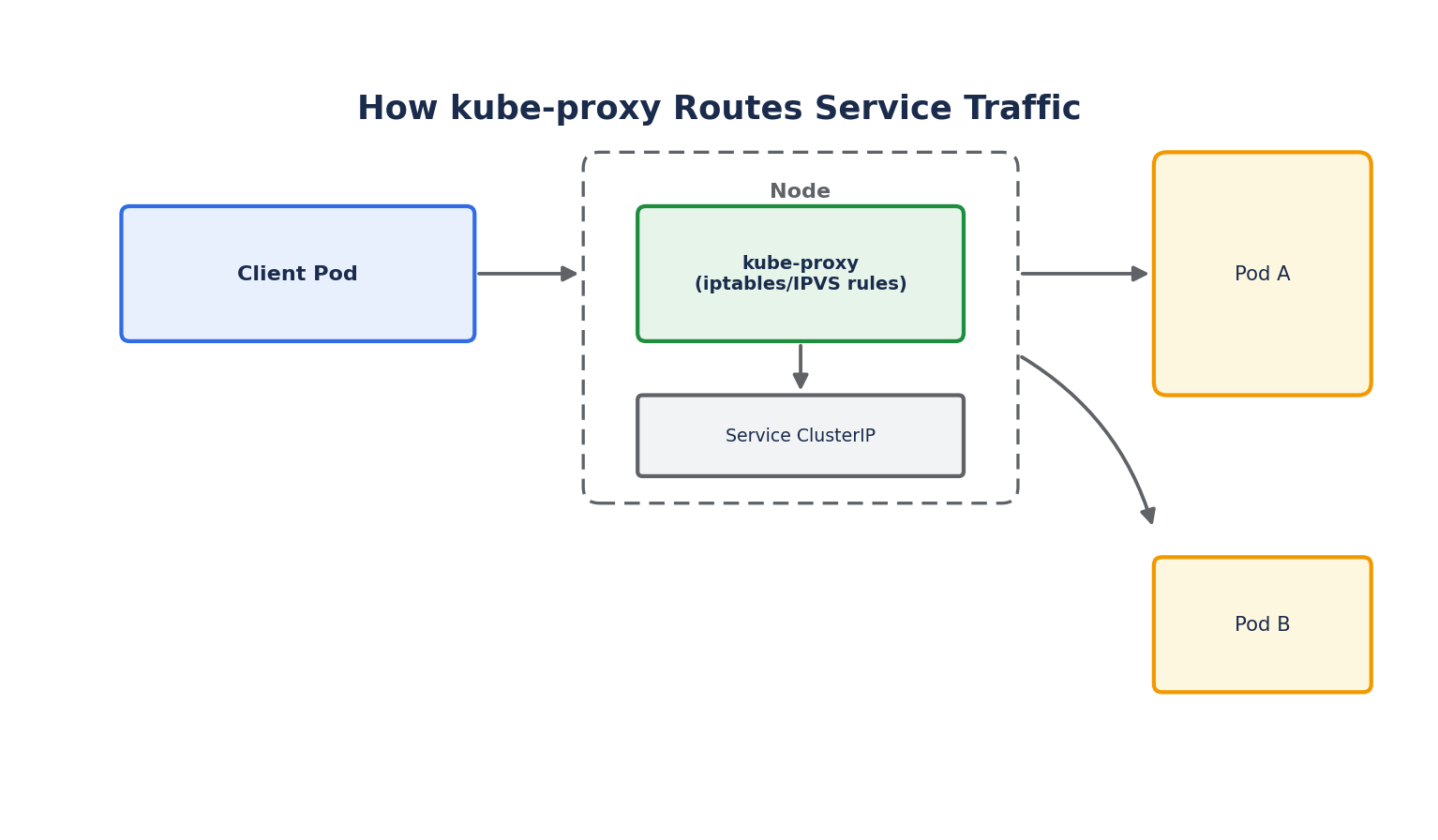
- Every node runs kube-proxy, which watches the API server for Service and Endpoint changes and programs local network rules (traditionally
iptables, orIPVSfor higher performance at scale) to route traffic destined for a Service's ClusterIP to one of the matching Pod IPs. - This means Service load balancing happens at the network layer on each node — there is no single central load-balancer process routing every request.
- By default, routing is round-robin across healthy Pod endpoints; only Pods that pass their readiness probes (covered in the Health Checks lesson) are included as valid endpoints.
Service Discovery via DNS
Kubernetes runs an internal DNS server (CoreDNS) so applications can reach a Service by name instead of IP:
# From inside any Pod
curl http://backend-service.default.svc.cluster.local
curl http://backend-service          # Short form, if calling from the same namespace
This DNS-based discovery, combined with label-selector-based routing, is what lets Kubernetes applications reference each other reliably even as individual Pods are constantly replaced underneath.