Python Course
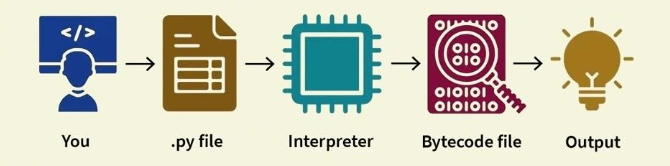
Python is a high-level, interpreted, general-purpose programming language created by Guido van Rossum and first released in 1991. Known for its readable syntax and versatility, Python has become one of the most popular programming languages in the world.
Python emphasizes code readability and uses indentation instead of brackets, making it an excellent choice for beginners and professionals alike.
It is widely used across various domains, including:
- Web development (using frameworks like Django, Flask, and FastAPI)
- Data science and machine learning (with libraries such as NumPy, pandas, TensorFlow, and scikit-learn)
- Artificial intelligence and deep learning
- Automation and scripting
- Scientific computing
- Cybersecurity
- Game development
- Education, due to its beginner-friendly nature
Python's extensive standard library and vibrant ecosystem of third-party packages make it a powerful tool for both beginners and experienced developers.
Installing Python
Download and run the Python installer for your operating system: https://www.python.org/downloads/
Windows:
Click "Customize Installation" and make sure that all boxes are checked.
On the "Advanced Options" screen, check "Add Python to environment variables"
Macs:
Install with default settings.
You may need to use “python3” and “pip3” when running Python and pip from the
terminal.
Verifying your Python and Pip Installation
C:\Users\praveenoruganti>python3 --version
Python 3.13.5
Sample Python Program
Create a file named hello.py
print("Hello, World!")
To run the program open the terminal.

print()is a built-in function used to output data to the console.- It can print strings, numbers, variables, expressions, and even formatted strings.
Let's see some examples
print("Hello, Python!")                   # Simple string
print(5 + 3)                              # Arithmetic expression
name = "Praveen"
print("Hello", name)                      # Printing variables
print(f"Hello, {name}! Welcome!")         # f-string formatting (Python 3.6+)
Here with the output.
Hello, Python!
8
Hello Praveen
Hello, Praveen! Welcome!
If user need to input the data then we can use input() function
Syntax
input("Enter your name: ")
Example:
name = input("What is your name? ")
print("Hello", name)
If we need to comment piece of code in the Python,
# This is a single-line comment
"""
This is a
multi-line comment
"""
Getting Started with Python in the Cloud
You don't need to install anything to start coding your first line of code.
Google Colab lets you write and run Python code directly in your browser for free. It’s like Google Docs, but for Python programming.
Why use Google Colab?
- No installation required
- Free access to compute resources
- Easy to share notebooks with others
- Integrates well with Google Drive
- Supports popular Python libraries out of the box
To try it out, head to colab.research.google.com and sign in with a Google account. Create a new notebook (File > New Notebook). For example, here is a sample notebook.