Spring Boot Course
Spring Boot Project Setup
In this course, let's develop a Spring Boot-based RESTful API for managing tasks in a project.
- Go to Spring Initializr https://start.spring.io/
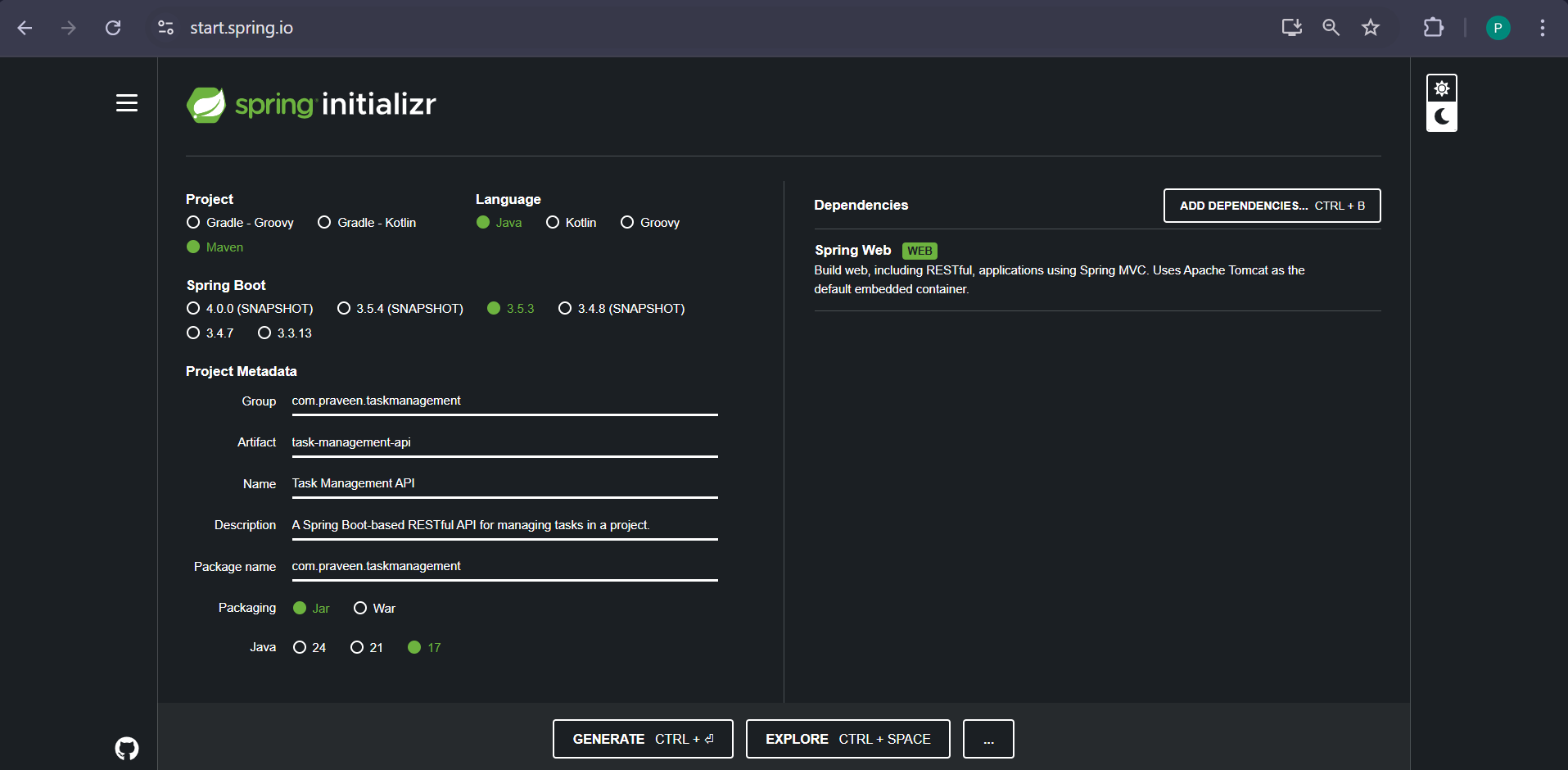
Here, I have created a Spring Boot Maven application named task-management-api and added the Spring Web starter to enable it as a REST API.
Once I click the Generate button, the project template will be downloaded as a task-management-api.zip file.
When i open the pom.xml of task-management-api and updated version as 1.0.0 which will be initial version for any new project.
<?xml version="1.0" encoding="UTF-8"?>
<project xmlns="http://maven.apache.org/POM/4.0.0" xmlns:xsi="http://www.w3.org/2001/XMLSchema-instance"
	xsi:schemaLocation="http://maven.apache.org/POM/4.0.0 https://maven.apache.org/xsd/maven-4.0.0.xsd">
	<modelVersion>4.0.0</modelVersion>
	<parent>
		<groupId>org.springframework.boot</groupId>
		<artifactId>spring-boot-starter-parent</artifactId>
		<version>3.5.3</version>
		<relativePath/> <!-- lookup parent from repository -->
	</parent>
	<groupId>com.praveen.taskmanagement</groupId>
	<artifactId>task-management-api</artifactId>
	<version>1.0.0</version>
	<name>Task Management API</name>
	<description>A Spring Boot-based RESTful API for managing tasks in a project.</description>
	<url/>
	<licenses>
		<license/>
	</licenses>
	<developers>
		<developer/>
	</developers>
	<scm>
		<connection/>
		<developerConnection/>
		<tag/>
		<url/>
	</scm>
	<properties>
		<java.version>17</java.version>
	</properties>
	<dependencies>
		<dependency>
			<groupId>org.springframework.boot</groupId>
			<artifactId>spring-boot-starter-web</artifactId>
		</dependency>

		<dependency>
			<groupId>org.springframework.boot</groupId>
			<artifactId>spring-boot-starter-test</artifactId>
			<scope>test</scope>
		</dependency>
	</dependencies>

	<build>
		<plugins>
			<plugin>
				<groupId>org.springframework.boot</groupId>
				<artifactId>spring-boot-maven-plugin</artifactId>
			</plugin>
		</plugins>
	</build>

</project>
Let's go the main method of task-management-api.
package com.praveen.taskmanagement;

import org.springframework.boot.SpringApplication;
import org.springframework.boot.autoconfigure.SpringBootApplication;

@SpringBootApplication
public class TaskManagementApiApplication {

	public static void main(String[] args) {
		SpringApplication.run(TaskManagementApiApplication.class, args);
	}

}
Spring Boot will do the following when you create the application
- Classpath Scan
- Default configuration setup
- Create an appropriate ApplicationContext instance
- Start embedded application server(for web application)
Lets see how Spring Boot internally works Starter POM
META-INF/spring.factories
- Enable
- Disable
Based on @Conditional and @Configuration it will enable the respective component.
@SpringBootApplication
This is a combination of
- @SpringBootConfiguration
- @EnableAutoConfiguration
- @ComponentScan
@SpringBootConfiguration
Indicates that a class provides Spring Boot application @Configuration. Can be used as an alternative to the Spring's standard @Configuration annotation so that configuration can be found automatically
@EnableAutoConfiguration
This enables the component at runtime. Spring Boot auto-configuration attempts to automatically configure your spring application based on their jar dependencies that you have added.
For example,
In Spring MVC, DispatcherServlet and InternalResourceViewResolver will be configured in web.xml or we will go with Java Based configuration.
In Spring Boot, DispatcherServlet and InternalResourceViewResolver are autoconfigured to avoid boiler plate configuration.
@ComponentScan
This will be used by Spring IOC container to scan the packages for fetching the bean.
Why we need main method in Spring Boot application
Spring Boot Application executes as a standalone application so a main method is necessary and it helps to deploy the application jar in the embedded tomcat. SpringApplication.run(…) internal flow
- Create application context
- Check the application type
- Register the annotated class beans with the context
- Creates an instance of TomcatEmbeddedServletContainer and adds the context
Spring Boot Starters
Starters are aggregate grouping of multiple dependencies into a single dependency.
In Spring Boot application, we configure Spring Boot Starter as a dependency in pom.xml. It will automatically adds the spring jars and all other compatible dependencies to the class path of spring application.
Most used starters & dependencies auto configured with them:
- spring-boot-starter-web: Spring core, embedded tomcat, spring mvc, jackson, logback
- spring-boot-starter-test: Junit, spring test, mockito
- spring-boot-starter-actuator: Healthcheck, monitoring and metric endpoints
- spring-boot-starter-security: Spring security config, web security
- spring-cloud-starter-config: Spring cloud common, context, config client
- spring-boot-starter-oauth2-resource-server: Spring security core, oauth2, jose
- spring-boot-starter-thymeleaf: Template engine
- spring-boot-starter-data-jpa: Jdbc, hibernate, spring data
To create a Spring Boot Application using Spring Boot support then you have to make your application as a child of Spring Boot parent application
In pom.xml, we add the following
 <parent>
	<groupId>org.springframework.boot</groupId>
	<artifactId>spring-boot-starter-parent</artifactId>
	<version>3.5.0</version>
	<relativePath/> <!-- lookup parent from repository -->
</parent>
Below are the different ways of running SpringBoot Application
- Running from an IDE
- Running as a Packaged Application
Using IntelliJ
To run the application from IntelliJ, just right-click on the main class and select 'Run task-management-api'.
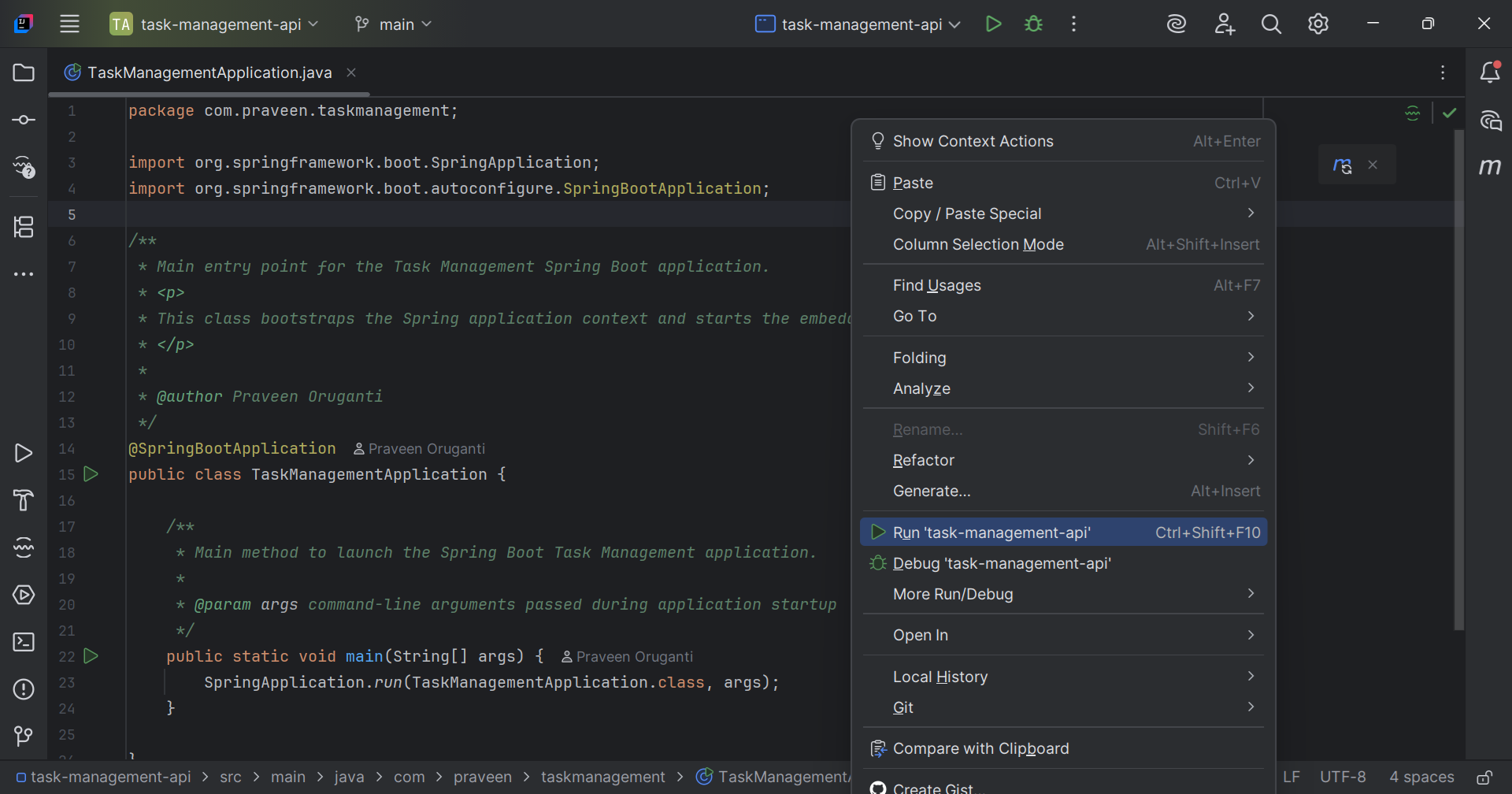
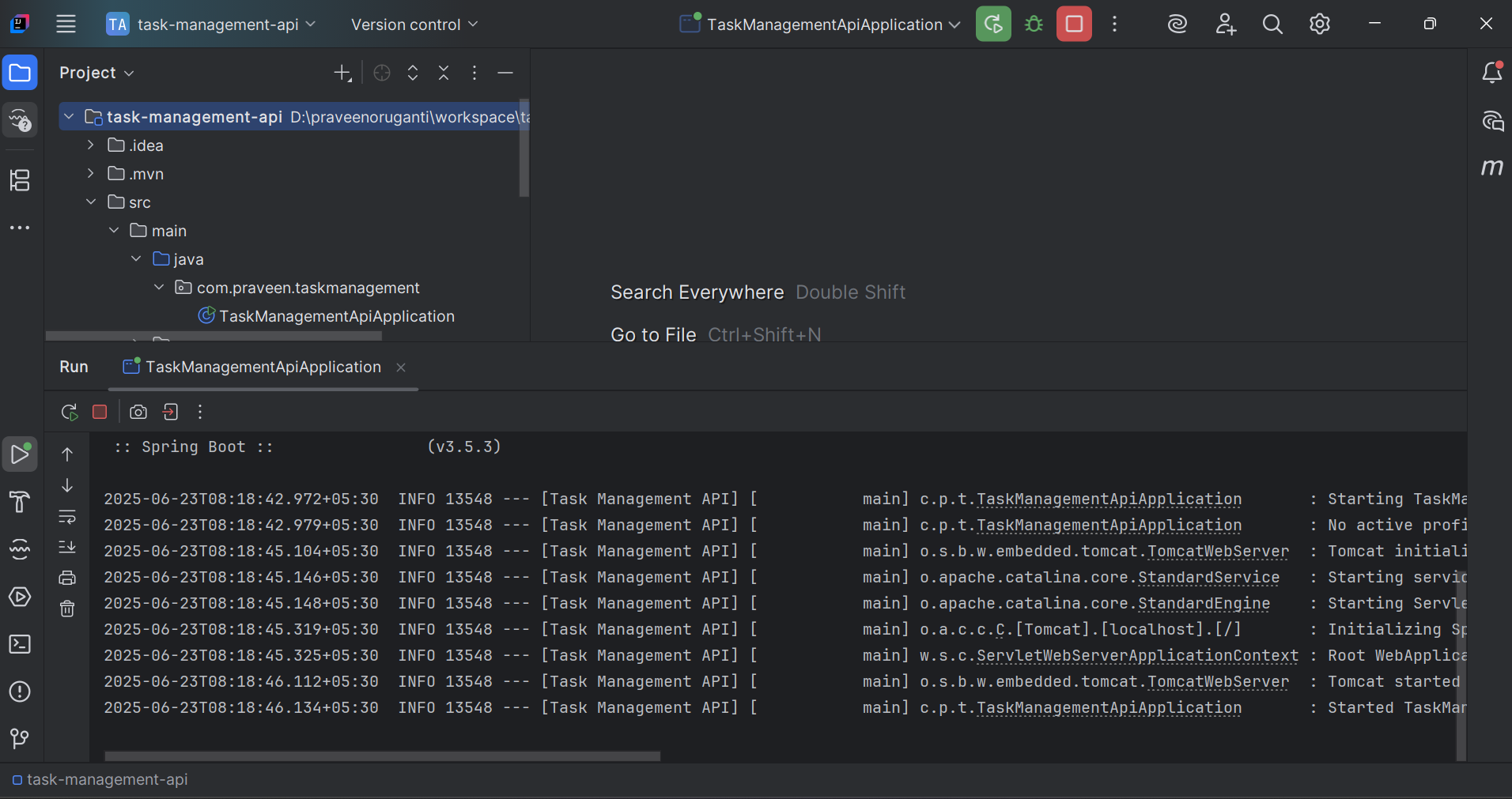
Once you run the application, check the console for logs and startup messages.
Running as a Packaged Application
We can run a packaged Spring Boot application in two ways.
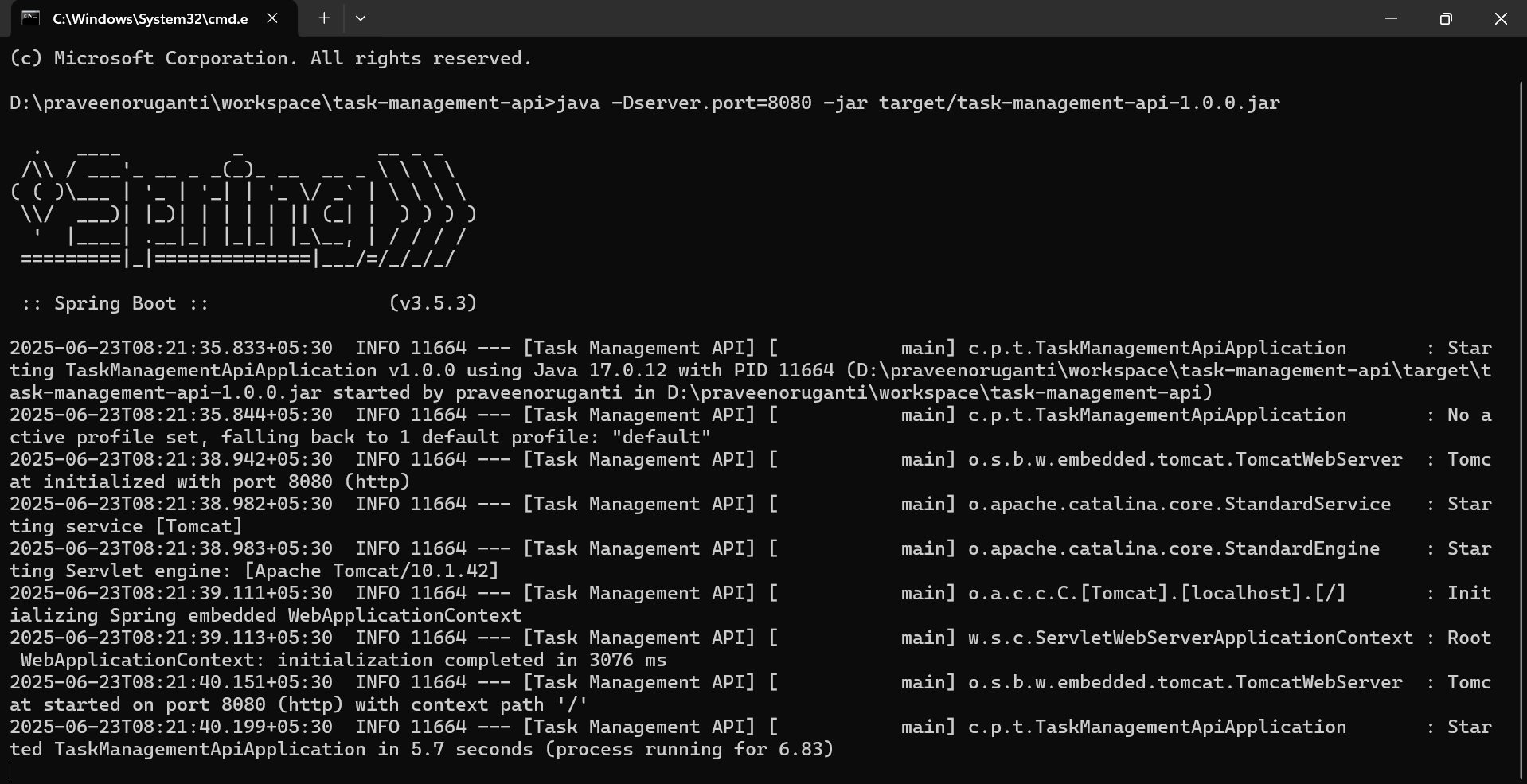
- Using Java Command
java -Dserver.port=8080 -jar target/task-management-api-1.0.0.jar
- Using Maven SpringBoot Run Command
mvn spring-boot::run
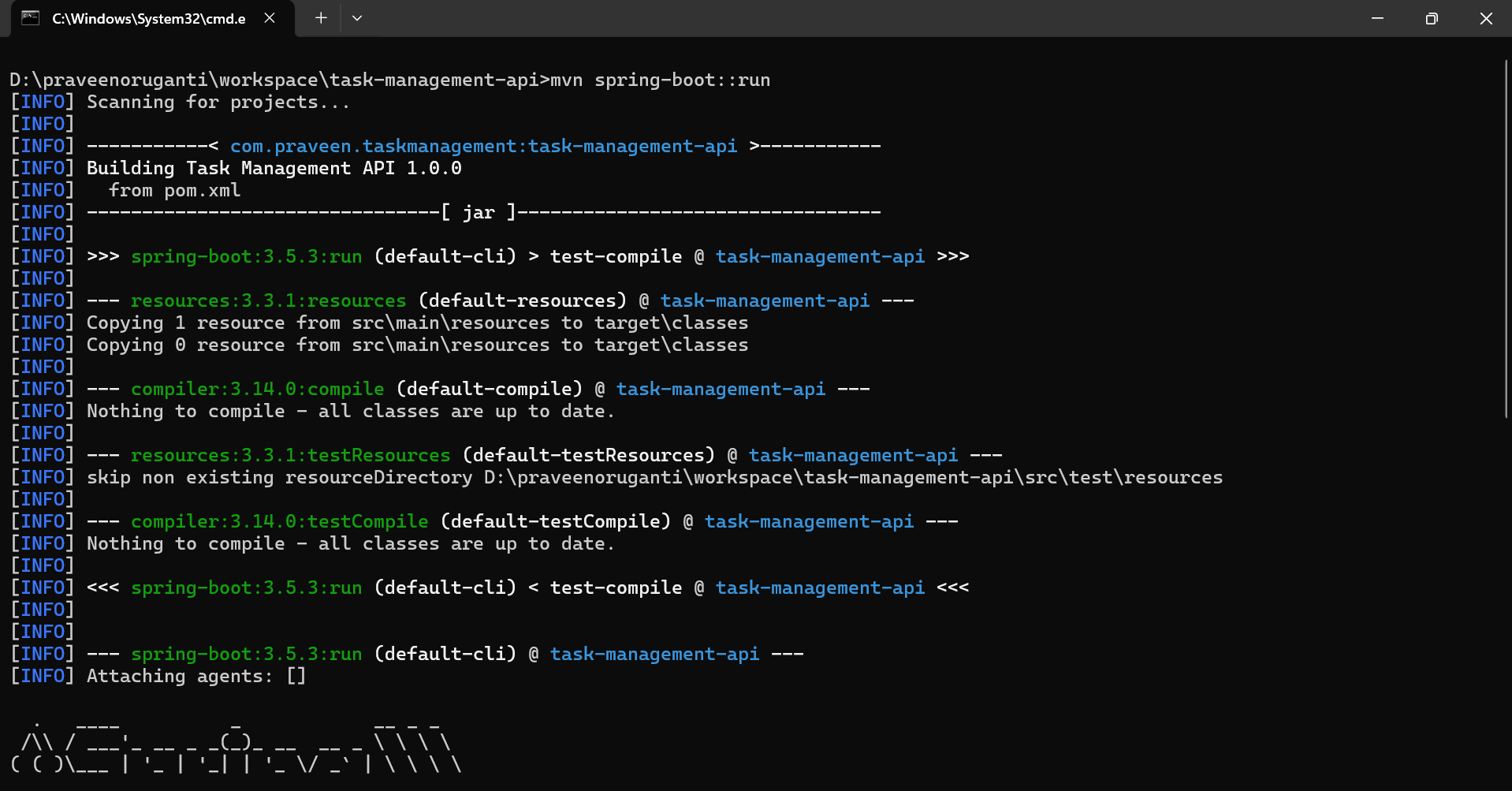
It is also possible to run a packaged application with remote debugging support enabled. Doing so lets you attach a debugger to your packaged application.
java -Xdebug -Xrunjdwp:server=y,transport=dt_socket,address=8000,suspend=n -jar target/task-management-api-1.0.0.jar